
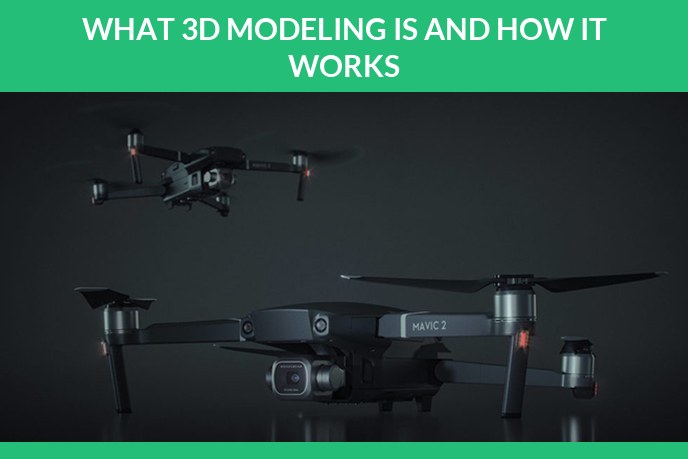
Contents
- 3D modeling in plain terms
- What a 3D model is actually made of
- The main types of 3D modeling
- How a model gets built, step by step
- One pair of boots, three states and a file
- What 3D modeling is used for
- What makes product modeling different
- The software people use
- The file formats you will be asked for
- Modeling, rendering, CAD and 3D printing are not the same thing
- Is it hard to learn, and who does it for a living
- What AI generators can and cannot do yet
- What a model costs and how long it takes
- Where to go deeper
- Frequently asked questions
3D modeling is the process of building a digital object that exists in three dimensions, so a computer can show it from any angle, light it in any way, and animate it. The object is described by coordinates in space rather than by pixels on a flat image, which is the reason you can spin it, cut it open, drop it into a game engine or send it to a 3D printer.
That is the short answer. The rest of this page is the part people actually come looking for: what a model is made of, the ways of making one, what one real product looks like at every stage, where the whole thing gets used, what makes a product model different from a film prop, what AI generators can and cannot do yet, and what it costs. We run a studio that builds these models for product brands, so this is written from the production side rather than from a textbook.
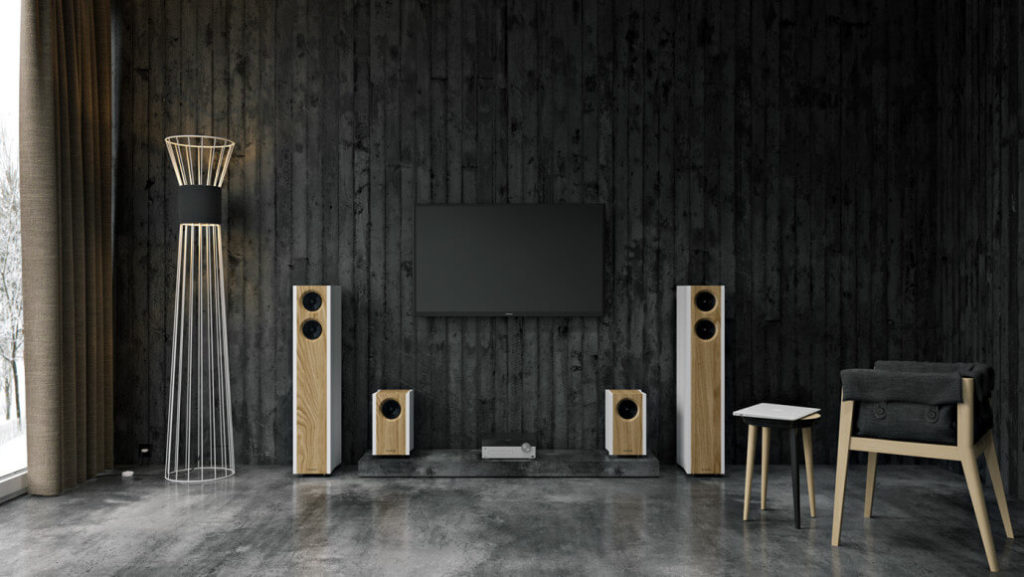
Products built as 3D models rather than photographed. Each one exists as geometry first, which is why it can be relit, recoloured or turned without going back to a camera.
3D modeling in plain terms
Imagine sculpting in clay, except the clay is math and nothing has to obey gravity. You define points in space, connect them into surfaces, and keep refining until the shape matches the thing you have in mind. The computer stores that description. Anything you see later, a still image, an animation, a rotating viewer on a store page, is generated from that same description.
The important distinction against a photograph or a drawing: a photo captures one moment from one position, and a drawing shows one projection. A 3D model has no single viewpoint baked in. Every angle already exists inside the file, waiting to be rendered.
What a 3D model is actually made of
Four terms cover most conversations, and once they click the rest of the field is much easier to follow.
- Vertices. Single points in 3D space, each with an X, Y and Z coordinate. The raw dots.
- Edges. Straight lines connecting two vertices.
- Faces. Flat surfaces enclosed by edges, usually three sided or four sided. A four sided face is a quad, and quads are what modelers prefer to work with.
- Mesh. The whole collection of vertices, edges and faces that forms the object. When someone says polycount, they mean how many faces this mesh contains. Shown on its own with the edges drawn and no materials applied, that mesh is what everyone calls a wireframe.
On top of the geometry sits everything that makes the object look like a real material. The mesh gets a UV layout, which is the flattened map that tells the software how a 2D texture wraps around a 3D surface, the way a paper label wraps a bottle. Then come the texture maps themselves: color, roughness, metalness, normal maps that fake fine surface bumps without adding geometry.
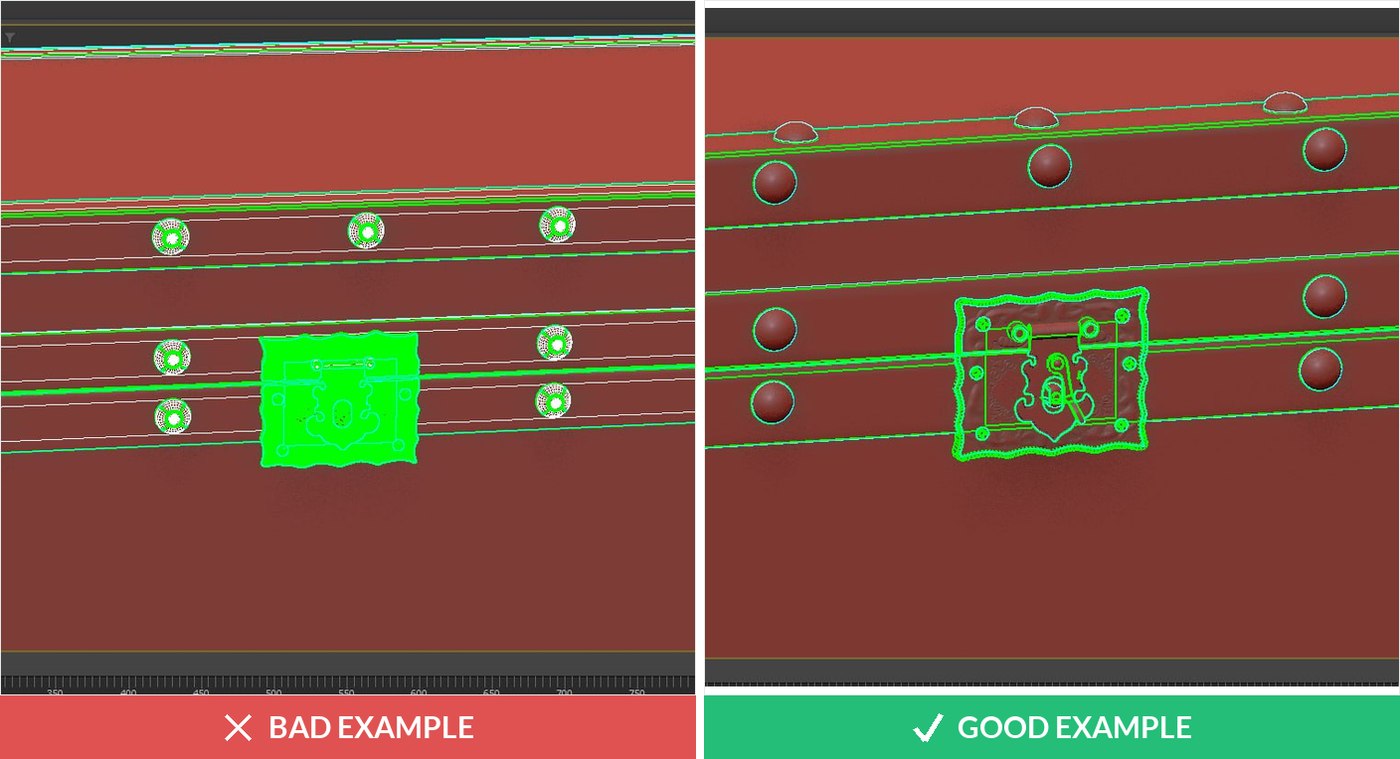
A UV layout seen in the viewport. On the left the flattened piece is a torn blob with overlapping islands, on the right the same piece is laid out cleanly with its seams where nobody will look. Textures follow this map, so a bad unwrap shows up as stretched material that no amount of retouching fixes.
And there is topology, meaning how tidily the mesh is built. Two models can look identical in a still image while one deforms cleanly in animation and the other tears apart. Topology is the difference, and it is most of what separates professional work from something scraped together.
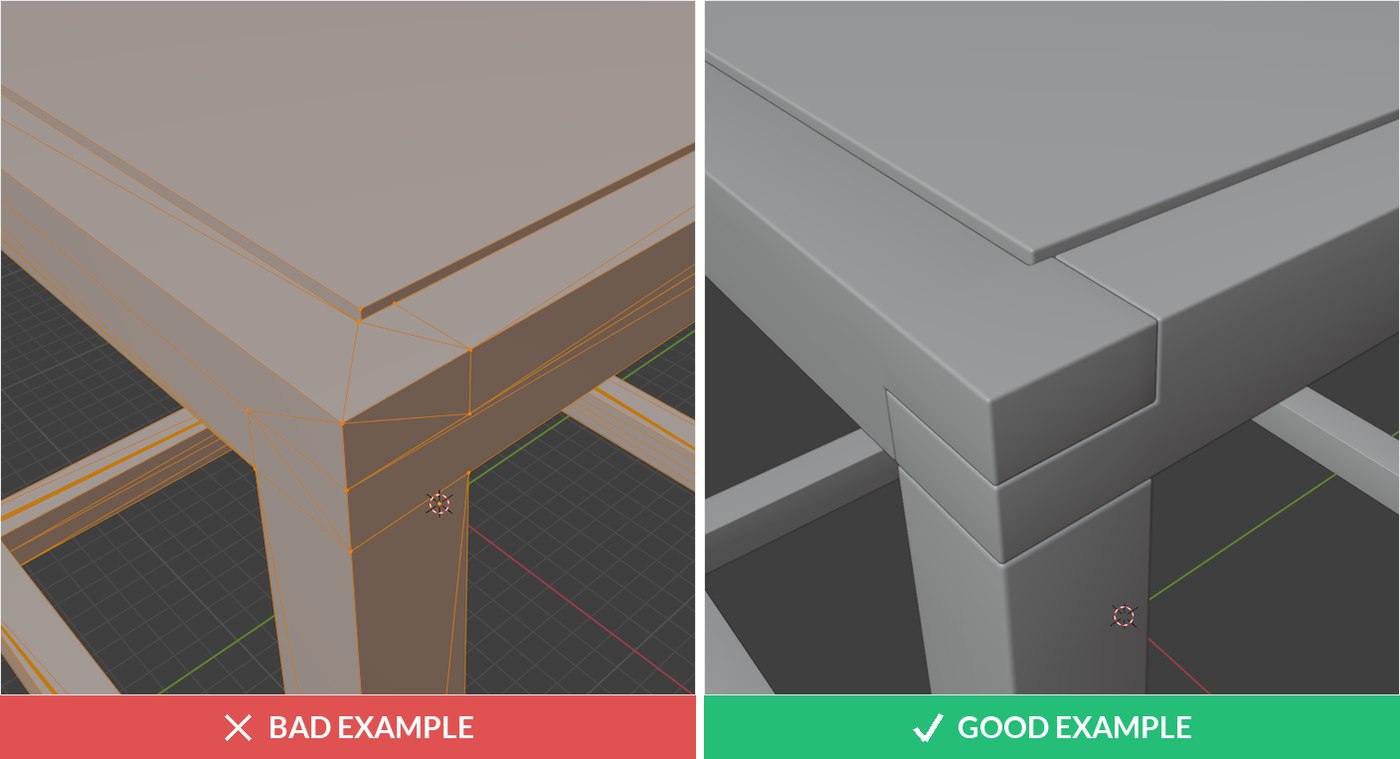
The same table corner twice. On the left the edge is a single hard crease with a triangle fan around it, on the right the same corner carries a small chamfer and clean quad flow. Both are valid geometry. Only one catches light the way a real edge does.
The main types of 3D modeling
Different jobs need different ways of describing a shape. These are the approaches you will run into.
| Type | How the shape is described | Best suited to |
|---|---|---|
| Polygonal modeling | Flat faces joined into a mesh | Games, film, product visuals, almost all real time work |
| NURBS and surface modeling | Mathematical curves rather than flat faces | Car bodies, industrial design, anything needing perfectly smooth curvature |
| Solid modeling | Objects treated as solid volumes with real material properties | Engineering and manufacturing, the CAD world |
| Digital sculpting | Pushing and pulling a dense mesh like clay | Characters, creatures, organic detail |
| Procedural modeling | Rules and parameters generate the geometry | Cities, foliage, terrain, anything needed in large quantity |
| Scanning and photogrammetry | Geometry derived from photos or scans of a real object | Existing physical products, heritage objects, organic shapes |
Most real projects mix them. A sneaker might be sculpted for the sole tread, modeled polygonally for the upper, and finished with procedural stitching. The categories describe techniques, not teams.
How a model gets built, step by step
The pipeline is remarkably consistent whether the end product is a chair or a spaceship.
- References and measurements. Drawings, photos from every side, dimensions, material samples. Skipping this stage is what produces models that look right and measure wrong.
- Blocking. Rough primitive shapes, boxes and cylinders, to establish proportion before any detail exists.
- Modeling proper. Refining the mesh, extruding, cutting, adding the parts that matter and deliberately skipping the ones nobody will ever see.
- UV unwrapping. Flattening the surface so textures can be applied without stretching.
- Texturing and materials. Making brushed steel behave like brushed steel and matte plastic like matte plastic.
- Lighting and rendering. Setting up a virtual studio and computing the final images. This is where the model stops being geometry and starts being a picture.
If the model has to move, rigging comes between texturing and rendering: a skeleton is built inside the mesh so it can be posed and animated.
One pair of boots, three states and a file
Everything above is easier to see than to describe. Below is a single product, a pair of leather boots with a metal harness, in the three states every modeling project passes through, and then the file itself.
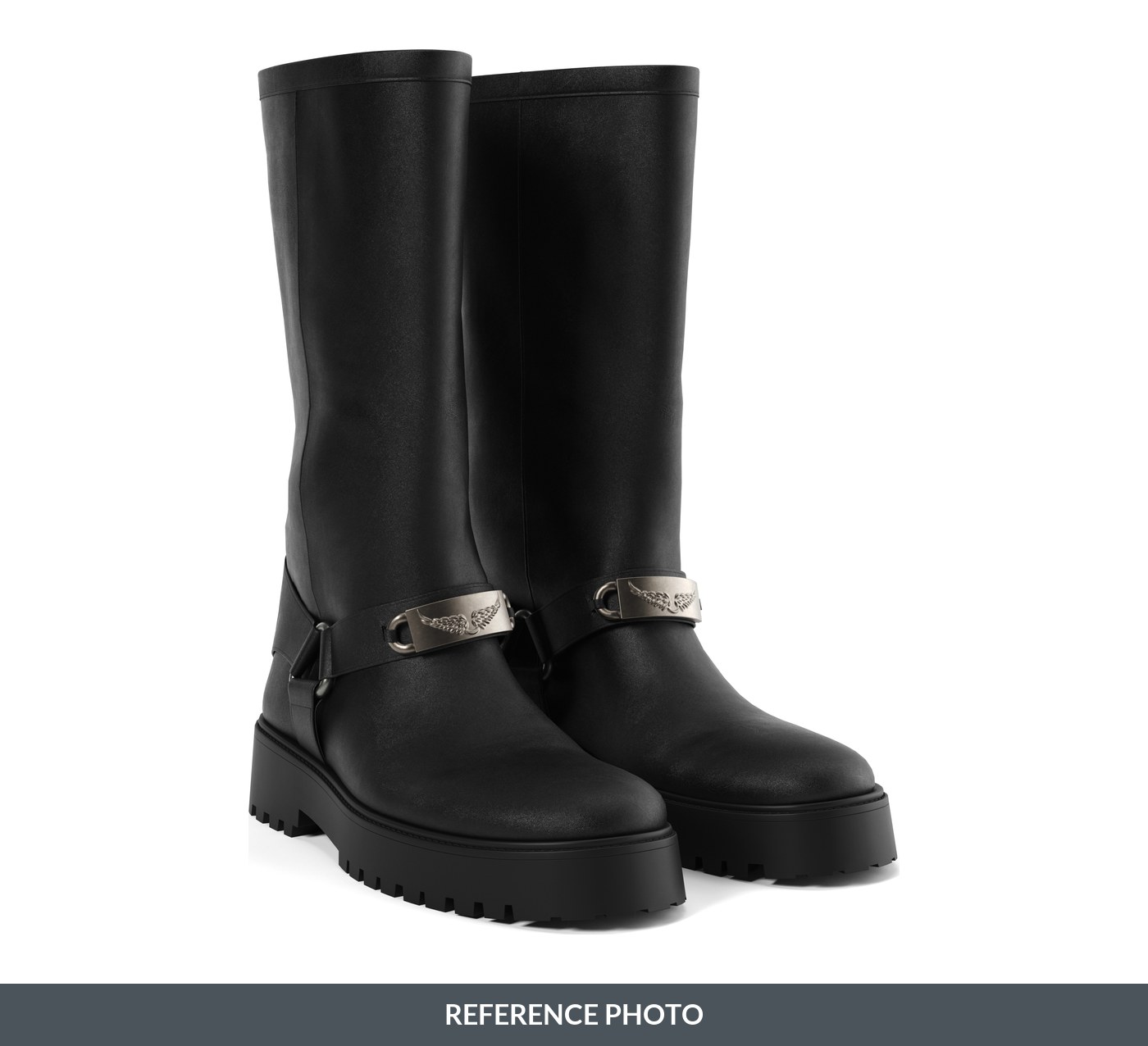
The reference. A studio photograph of the actual boots, shot from the angle the model has to match, with dimensions taken from the sample. Everything the modeler is held to is in this frame and in the measurement sheet that came with it.
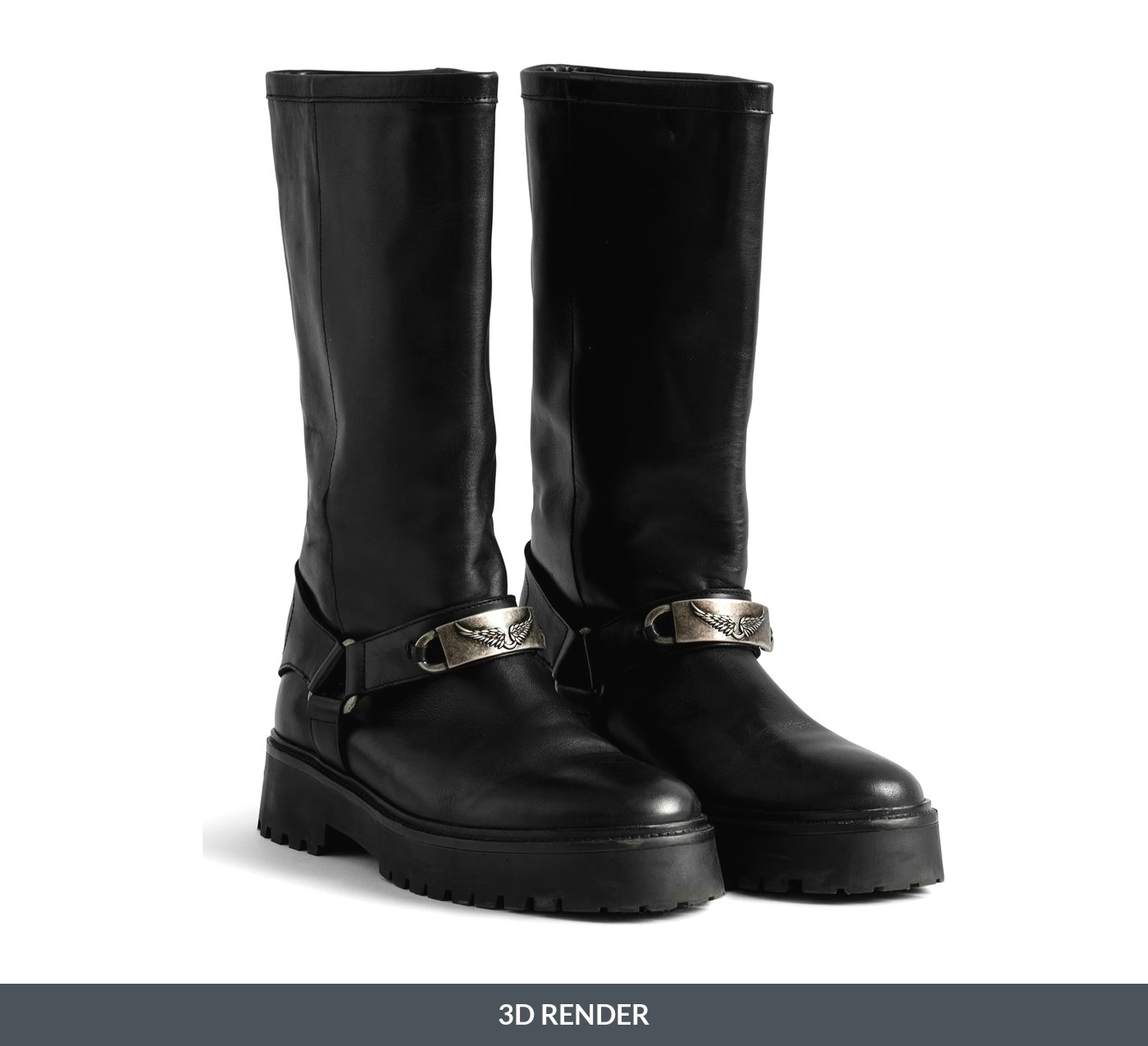
The render. No camera, no sample on a table, no studio booked. The leather, the stitching and the brushed metal are materials assigned to a model and lit in a virtual set. Once this exists, the second colourway costs a fraction of the first.
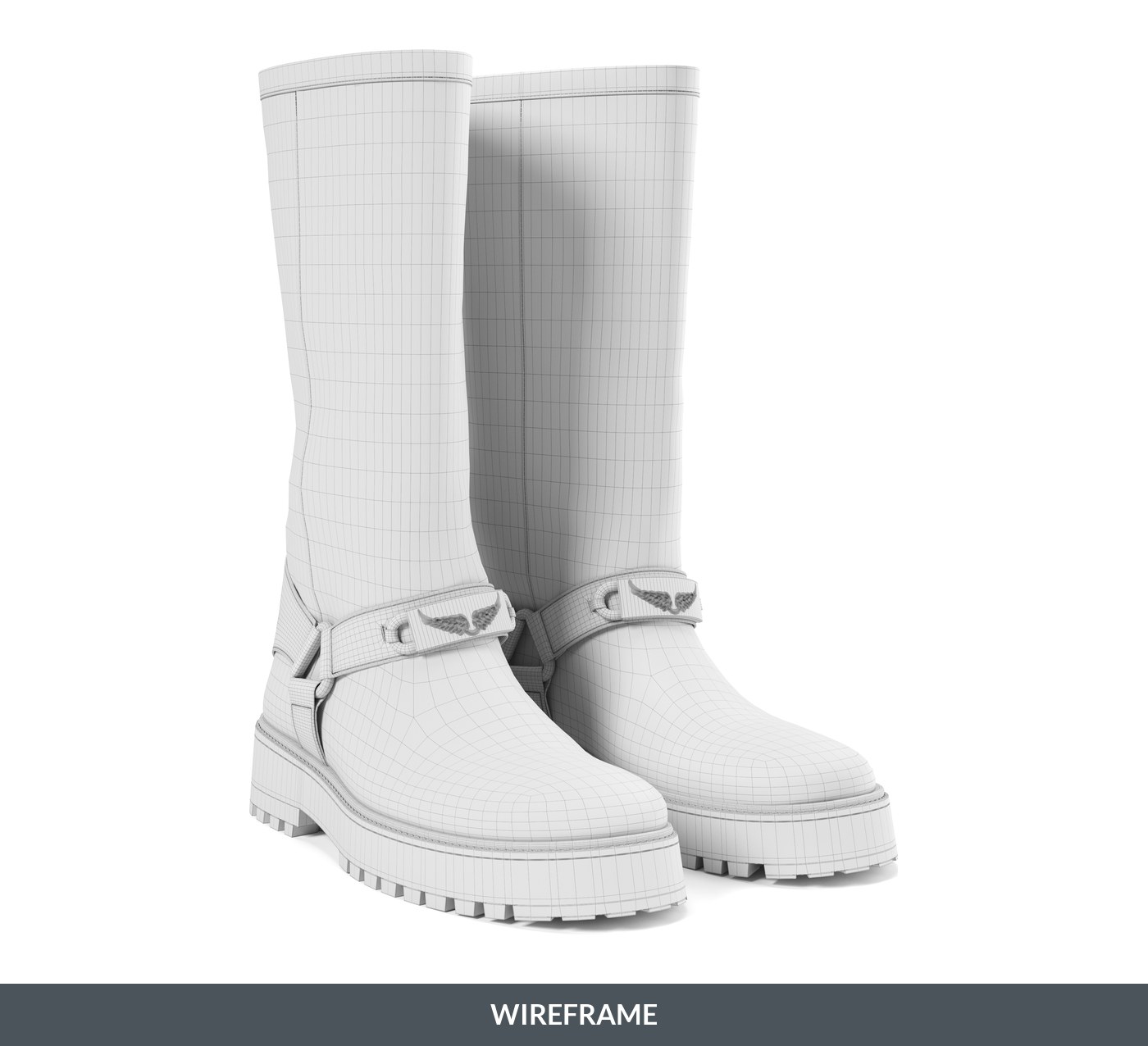
The mesh underneath, the view everyone calls a wireframe. Every line is an edge and most of the cells are quads. The density is not decoration: it tightens where the sole curves and the harness wraps, and loosens across the flat shaft. That is topology, and it is the difference between a model that holds up under zoom and one that falls apart the moment somebody edits it.
Below is the same model as one file, delivered the way a store page or an AR viewer would receive it. Drag it. Nothing here is a picture: the browser is rendering that mesh in real time, and there is no angle it cannot reach.
The boots as a single GLB, 9 MB. One file replaces every angle somebody would otherwise have to shoot.
What 3D modeling is used for
The technique is the same everywhere. The tolerances and the priorities are what change.
- Product and ecommerce visuals. Catalog imagery, lifestyle scenes, interactive viewers on product pages. One model replaces a photo shoot and every reshoot after it. We cover the mechanics of that in 3D modeling for ecommerce.
- Manufacturing and engineering. Parts are designed as 3D models before anything is machined, and the same file drives tooling and assembly.
- Architecture and interiors. Buildings are walked through in 3D long before ground is broken.
- Games and real time. Every asset you see in a game is a model built to a strict performance budget.
- Film and visual effects. Creatures, vehicles, environments and set extensions.
- Medical and scientific work. Anatomy from scan data, prosthetics, molecular structures.
- 3D printing. A printer cannot print without a model. It is the input file. What makes a model printable, from wall thickness to formats, is covered in 3D modeling for 3D printing.
Consumer reach for this stuff is no longer marginal. Statista counts roughly 1.07 billion mobile augmented reality users in 2025, heading toward 1.19 billion by 2028, and every one of those AR experiences is a 3D model being displayed on a phone. On the money side, Grand View Research sizes the 3D mapping and modeling software category at 16.78 billion dollars by 2030, growing about 16 percent a year.
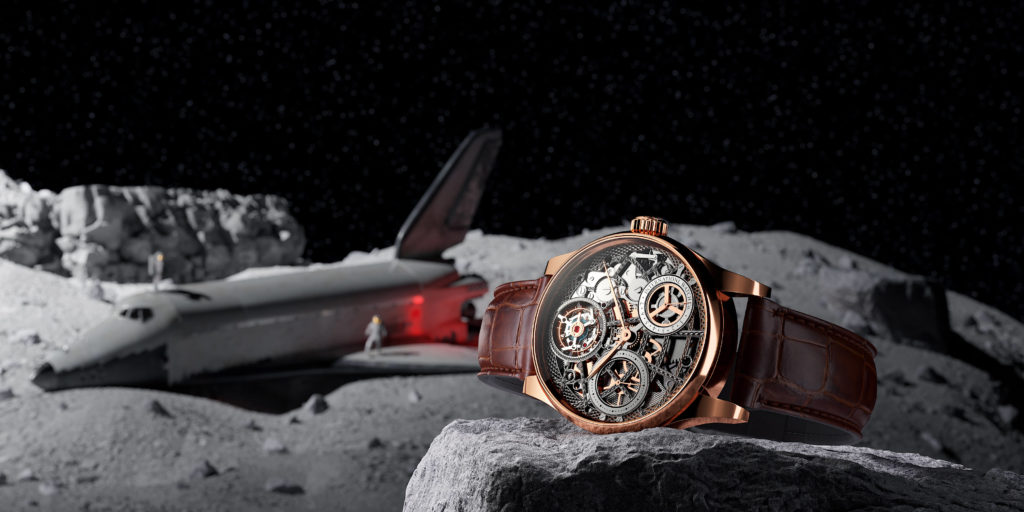
Watches. A skeleton chronograph rendered into a set that was never built. The movement, the case and the strap are one model; the moon and the spacecraft behind it are the same scene file.
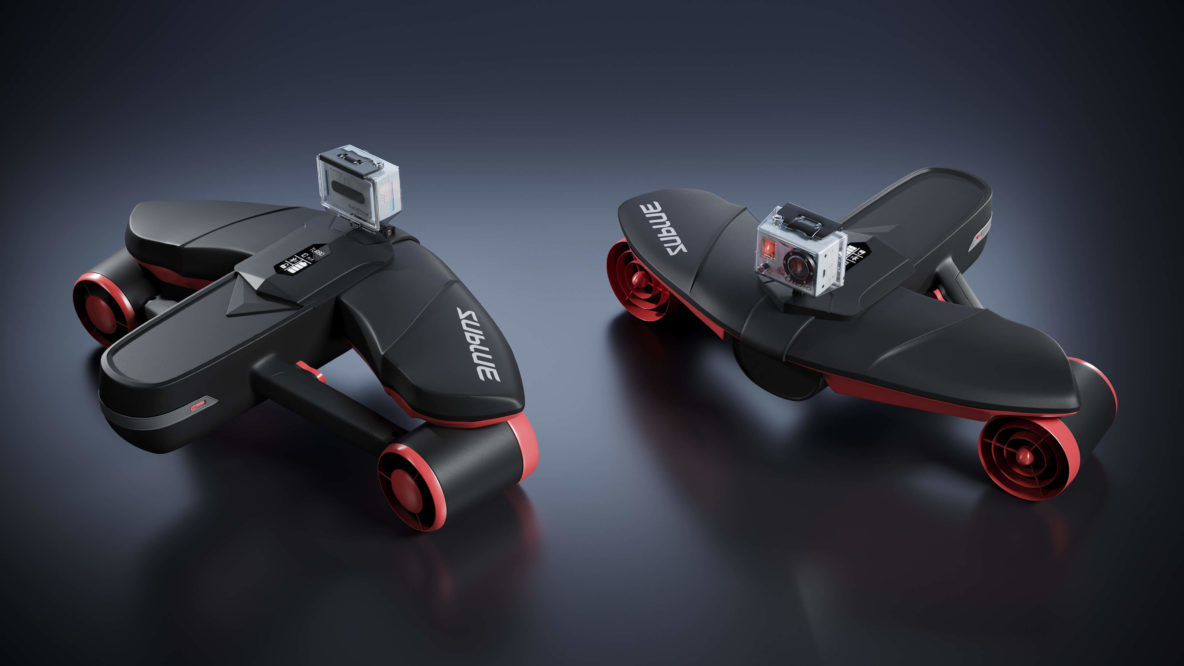
Electronics and gadgets. Two finishes of the same underwater scooter, lit on a dark set. Neither unit had to exist to be photographed like this.
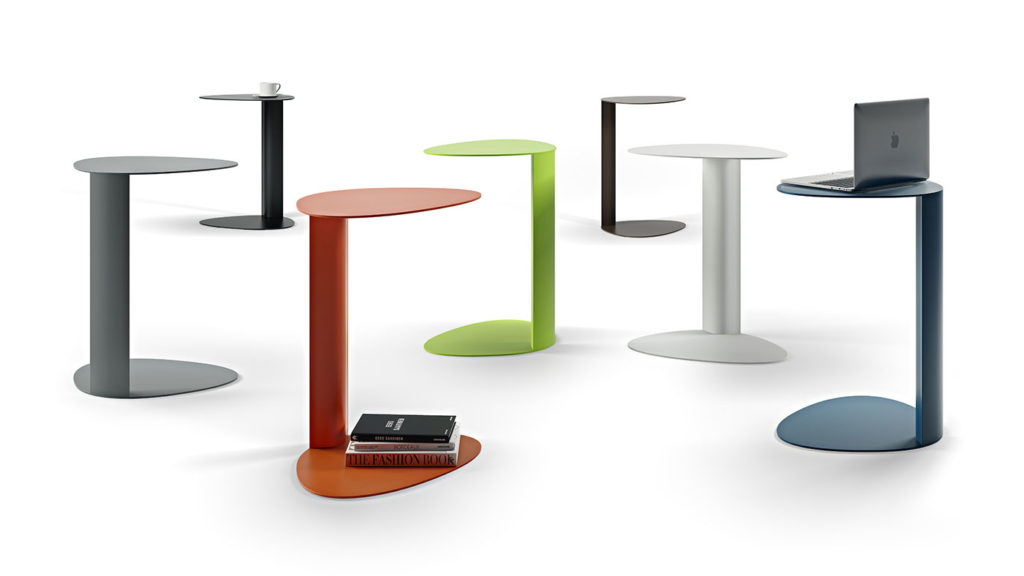
Furniture. One side table design, six colourways, one render. Photographing this would mean six samples shipped to a studio.
Swipe sideways for more examples.
The same geometry, animated. Nothing here was filmed: the parts, the housing and the flow are one model, and the camera is virtual. This is what a machine looks like explained to a buyer who will never see one opened up. Click for the full film, or see what that costs on our product animation services page.
What makes product modeling different
The technique is the same, the acceptance criteria are not. A hero prop for a film has to look right from one camera. A product model has to be right, and that means four things a games or film model is never asked for.
- Real dimensions. Built to the millimetre from CAD, drawings or a measured sample, because the same file may end up driving tooling, and because a sofa that renders beautifully at the wrong scale sells returns.
- Variants from one build. Colourways, finishes and material options come off a single model. This is the whole economic argument: the second version costs a fraction of the first, and the tenth costs almost nothing.
- Ready for more than a picture. A product model gets asked for a 360 spin, an AR view on a phone or a configurator, sometimes months after the stills were delivered. That is a topology and UV decision taken at the start, not a conversion done later.
- Files you own. The source scene, the exports, the textures. A model you cannot hand to the next studio is a model you will pay for twice.
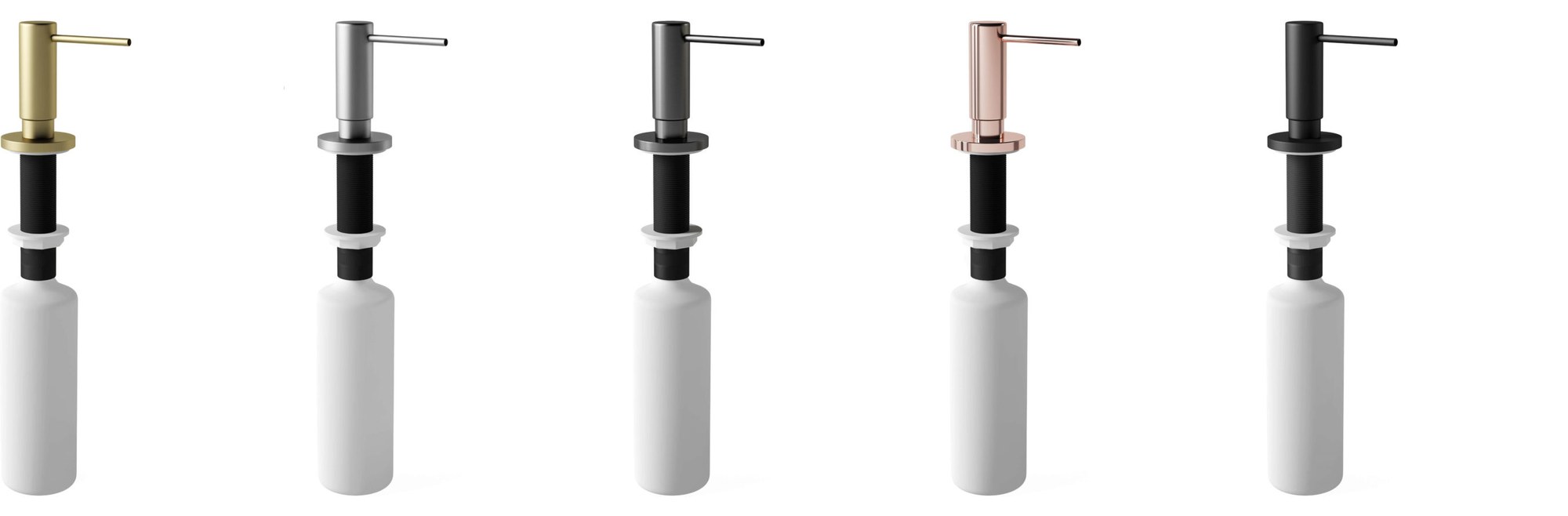
One soap dispenser, five finishes, one model. The geometry was built once; brass, steel, graphite, copper and black are materials swapped on top of it, which is why the fifth colourway costs almost nothing next to the first.
The dimension point is the one that costs money when it is missed. The National Retail Federation put online returns at 19.3 percent of sales in 2025, worth 849.9 billion dollars across retail, and a meaningful share of that is the product not matching what the shopper thought they were buying.
What we build and what we need from you before quoting is on our custom 3D modeling page.
The software people use
There is no single industry standard, there are camps.
| Software | Camp | Typically used for |
|---|---|---|
| Blender | Free and open source | Everything, from product work to animation. The usual starting point |
| Autodesk Maya | Commercial | Film, animation, character work |
| Autodesk 3ds Max | Commercial | Architecture, interiors, product visualization |
| ZBrush | Commercial | Digital sculpting and organic detail |
| Cinema 4D | Commercial | Motion graphics and advertising |
| SolidWorks, Fusion 360 | CAD | Engineering parts meant to be manufactured |
| SketchUp, Rhino | Mixed | Architecture, concept work, NURBS surfaces |
Beginners almost always start with Blender, because it is free, complete and has an enormous amount of teaching material behind it. Our full breakdown of paid and free tools sits in the best 3D modeling software, and for moving footage the set of tools is different, which we cover in 3D animation software for product video, with screenshots of each one.
The file formats you will be asked for
A finished model is never one file. There is the source the artist works in, and there is a set of exports, and which export you need depends entirely on where the model is going. More first projects go wrong here than anywhere else on this page.
| Format | What it is for | Who opens it |
|---|---|---|
| OBJ, FBX | Moving geometry between programs. OBJ carries shape and basic materials, FBX also carries rigs and animation | Studios and 3D software, not customers |
| glTF, GLB | The web format. GLB is the single file version, used by browser viewers, Android AR and marketplace 3D listings | Any browser, no plugin |
| USDZ | AR on iPhone and iPad. This is the file that stands your product in a customer’s room straight from Safari | iOS, straight from a link |
| STEP, IGES | Engineering formats. If the product already exists as CAD, this is the best possible starting point because the dimensions are already correct | Your manufacturer |
| Source file (.blend, .max, USD) |
The editable scene. The only file that can be properly changed later, which is why it belongs in the contract | Only the studio |
Two of these move faster than the rest. Khronos, which maintains glTF, added a gaussian splatting extension to it in February 2026, and the marketplaces that sell finished models are compared in 3D model selling websites.
Formats have been moving quickly: OpenUSD got its first formal written specification in December 2025 and WebGPU now ships in every major browser, which is what makes an interactive model on a product page realistic rather than ambitious. We covered both in where 3D modeling is heading. What separates a model that survives export from one that falls apart on the way is in 3D modeling standards.
Modeling, rendering, CAD and 3D printing are not the same thing
These four get used interchangeably in briefs, and the confusion costs money.
- 3D modeling is creating the object.
- 3D rendering is producing an image from that object, with lighting, materials and a camera. The difference is spelled out in 3D modeling and rendering.
- CAD is modeling aimed at manufacturing, where dimensional accuracy and tolerances outrank appearance.
- 3D printing is an output. It consumes a model, it does not create one.
Worth adding sculpting to the list, since it gets treated as a synonym for modeling and is really a different way of working. We compared them in modeling versus sculpting, and if the vocabulary in a brief is what is tripping you up, 12 terms worth knowing covers the rest.
Is it hard to learn, and who does it for a living
Honest answer: the software is learnable in weeks, the craft takes years. Anyone can follow a tutorial and produce a donut in Blender in an afternoon. Producing a chair that a furniture brand will put on its product page, correct to the millimeter with materials that hold up under zoom, is a different level of skill.
What actually separates people who get good: understanding real objects. How a hinge works, how fabric folds, how light behaves on satin against gloss. The tool is the easy half.
As a profession it is measurable. The U.S. Bureau of Labor Statistics puts national employment for special effects artists and animators, the closest official category, at 19,970 people as of May 2025, with a median annual wage of 102,030 dollars and a mean of 112,870. That category excludes most CAD and product modelers, so the real population working in 3D is larger, but it gives a sense of the scale and the pay.
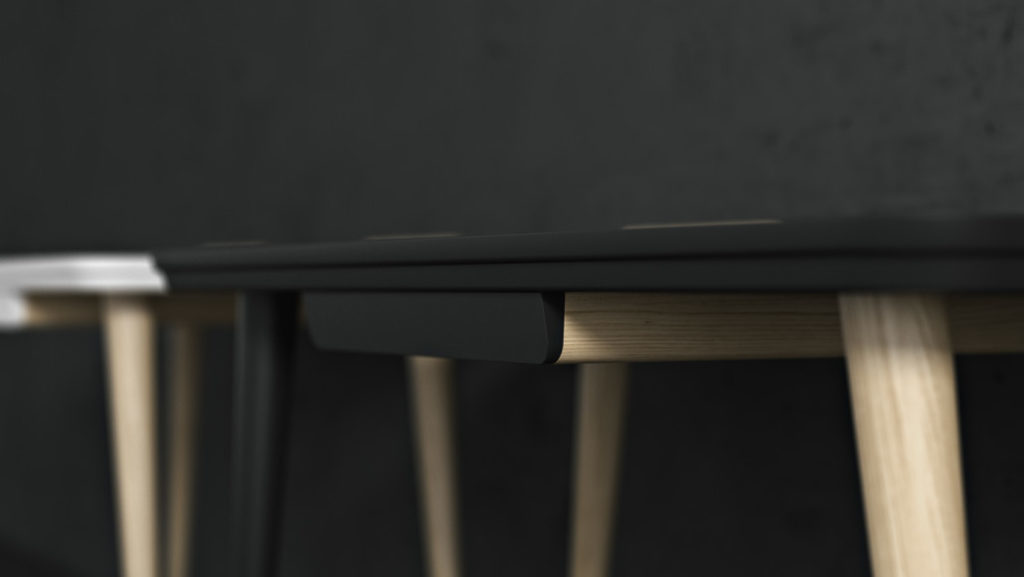
If you need models made rather than made by you, that is our day job. Our 3D product modeling services page covers what we build and what we need from you to start.
What AI generators can and cannot do yet
The question arrives in almost every conversation now, so in August 2026 we ran it properly rather than guessing. One product, a backpack, four leading generators, and the same set of reference views fed to each of them.
The input decides the output. Generating from a single view produces invented proportions and a flat back. Four views, front, right, back and left, hold the volume and the details together. That one difference separates a demo that impresses from a file somebody can work with, and not every tool accepts more than one reference.
And no, ChatGPT does not make the model. It has no geometry output; the most it can do is write a prompt or a script for something that does. The tools that return a mesh are dedicated generators, and they take either a text prompt or images. Text to 3D is fine for a concept and useless for a specific product, because nothing in a prompt fixes a dimension. Image to 3D is the route that matters for real products, and it is the one we tested on a real product.
The geometry got genuinely good. Meshy 7 returned three million polygons with the weave and the zip pulls where they belong. Tripo V3.1 returned two million, Hunyuan 3D V3 one and a half million with detail close behind Meshy, Rodin 3D V2 one million from a single reference. Five years ago none of that came out of a handful of photographs.
The topology did not. Every generator returned a fused mesh: one continuous skin with no separation between shell, handle and trim, and no edge flow following the form. The auto retopology built into these tools turns that into an even grid at around a hundred thousand polygons, or a triangle soup at thirty thousand. Neither is a mesh a person can edit, and details merged during generation do not come back.
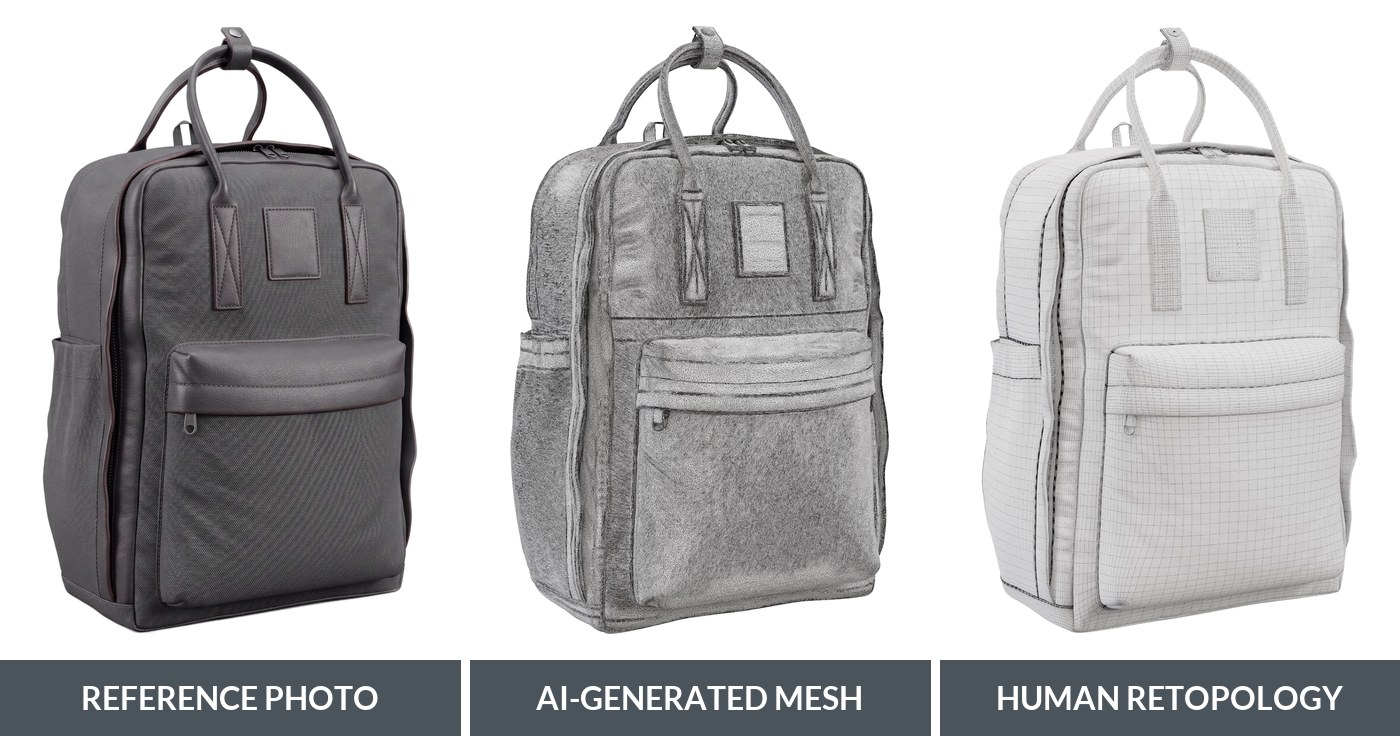
The same backpack three ways. The generated mesh in the middle carries the shape and even the fabric grain, but the surface is one fused skin with no edge flow. On the right the same product after manual retopology: even quads that follow the panels, the seams and the pocket, which is what makes it editable, unwrappable and texturable.
Which is why the texturing falls over. A UV layout can only be as sensible as the topology under it. Put a checker pattern on a generated model and it warps and tears across the seams. Put the same checker on a manually retopologised version of the same product and the squares stay square. Texturing a generated mesh is therefore only possible through the generator’s own AI texturing, and that was the weakest part of every tool we tested.
The honest summary: AI generation now produces far better geometry and detail than it did, and it is a genuinely useful starting point for a modeler. It does not yet produce a production ready model. Topology, UV structure, material control and final texturing are still human work, and those four are exactly what decides whether a model survives being put on a product page, into a configurator or into AR.
What a model costs and how long it takes
Two questions arrive in almost every first email, and both have shorter answers than people expect.
Cost follows part count, not how impressive the product is, and time behaves the same way. Renders on plain white are usually included in the figures below; scenes, spins and film get quoted on top.
| What it is | Modeling cost | Time | Examples |
|---|---|---|---|
| Simple part | from 80 USD | about a day | A bracket, a plain enclosure, a bottle |
| Typical product | around 200 USD | two to three days | A portable speaker, a soap dispenser, a backpack |
| Complex product with a working mechanism | around 400 USD | three to five days | An appliance with moving parts |
| Mechanism inside | from 1,200 USD | one to two weeks | A watch with its movement |
What moves the number in either direction is listed in 3D modeling price, and how long it takes to create a 3D model of a product walks through a real schedule rather than an estimate.
Both assume the brief arrives with something to work from: a CAD or STEP file, technical drawings with dimensions, or photographs of a sample with the overall measurements written down. Our 3D product modeling services page lists exactly what we need before quoting.
Where to go deeper
This page is the overview. Every branch of the subject has an article of its own underneath it, and the list below is the whole map, grouped by what you are trying to work out.
Technique
- Types of 3D modeling — which approach fits which kind of product
- Advanced 3D modelling techniques — six methods beyond the basics
- Polygon modeling versus spline — the comparison people search for most
Process and quality
- The 3D modeling workflow — what a project looks like from the client side
- Outsourcing 3D modeling — the five checks before picking a contractor
- What a 3D modeling specialist does — the role explained for a product marketer
- Product customization — made to order products where the model changes on screen
- Product configurator software — the three classes of tool and what they cost
Software and materials
- AutoCAD 3D versus 3ds Max — the two programs product work keeps running into
- Seven sites for textures — where materials come from
Where it gets used
- Nine industries that cannot do without it — the broad picture
- Five industries 3D modeling technology helps — a closer look at five of them
- Why it matters for manufacturers — the production side of the argument
- 3D modeling for product design — the design stage, before anything is marketed
- 3D digital prototyping — testing a design before anything gets built
- 3D prototypes and models — five industries reshaped by printing them
- The benefits for product promotion — what models do for marketing
- How accurate models prevent returns — the money nobody budgets for
- 3D models on Instagram — product models as social content
- 3D advertising — what the term means and what it costs
- Clothes 3D modeling — fabric, fit and the fashion pipeline
- 3D modeling for jewelry — stones, metal and very small tolerances
Background
- The history of 3D modeling — from Euclid to AI generators
- The history of 3D printing — how the output side got here
- The future of 3D modelling — the technologies changing it now
- 3D model selling websites — the marketplaces and how selling works
- where 3D modeling is heading — what changed in formats and tools recently
If you already know what you need built, the service pages are organised by industry: furniture, jewelry, watches, fashion, electronics and appliances.
FAQ

Ian Diev
Content Writer, Editor
Ian loves writing about innovative 3D technologies and their impact on architecture and design. In his spare time, he makes indie music, watches obscure movies, and cooks culinary masterpieces for friends.