
Contents
Augmented reality stopped being a novelty in online retail some time ago. It is now a button on a product page, supported by the phone in the buyer’s hand without an app, and the interesting questions have moved on. Not whether it works, but where it pays, what it demands from your product data, and why so many implementations sit unused.
What AR in ecommerce actually means
A 3D model of your product placed into a live camera view of the customer’s own space, at the correct scale. That is the whole idea. The buyer points a phone at the floor and the sofa is standing in their room, keeping its size as they walk around it.
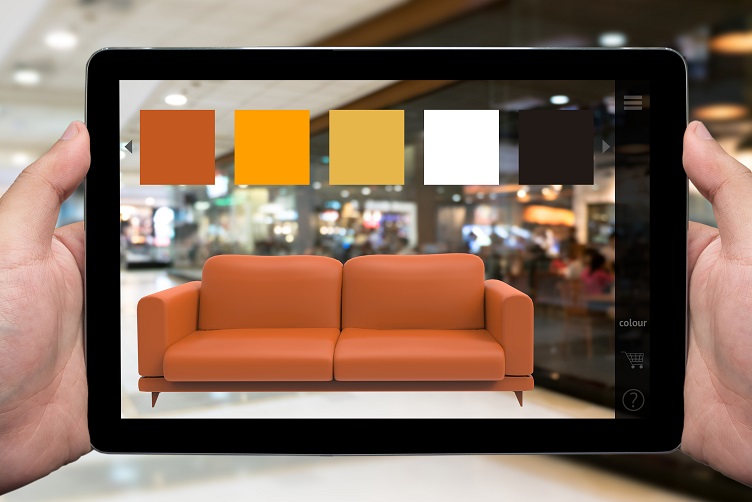
The same model can carry every colourway, which is where AR overlaps with a configurator. What a configurator adds on top of AR, and what it costs, is unpacked in 3D product configurator.
Two distinctions worth making early, because they change the budget:
- AR is not VR. AR adds your product to the room the customer is already in. VR replaces the room. For ecommerce the first one is nearly always the right tool, and the full comparison is in AR vs VR.
- AR is not a render. A render is one fixed camera and can hide anything outside the frame. In AR the customer chooses the angle, so the model has to be correct from every side, including underneath. Where AR sits among the other formats one product model feeds is mapped in 3D product visualization, and when full VR does earn its place, five VR marketing campaigns show what it takes.
The four jobs AR does on a product page
| Job | Question it answers | Typical categories |
|---|---|---|
| Placement | Will it fit, and how will it look there | Furniture, appliances, lighting, rugs, art |
| Scale check | How big is this actually | Anything sold by dimensions: luggage, planters, tools, monitors |
| Try on | How does it look on me | Eyewear, watches, jewellery, cosmetics, footwear |
| Configuration | Which version do I want | Anything with finishes, fabrics or modules |
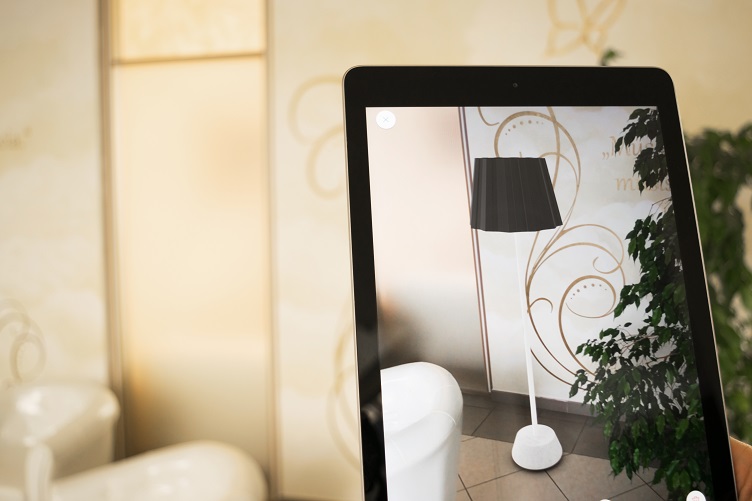
Scale is the job AR does that no photograph can.
The first two are where most of the return sits, and they are the cheapest to build. Placement and scale need one accurate model and nothing else. Try on needs face or body tracking, which is a different technology stack with its own vendors, and configuration needs your product data to be clean enough to drive it.
What the numbers really say
This field is full of percentages with no owner. Before quoting any of them, check whether a named merchant and a named platform stand behind the figure, because platform wide averages circulating without either are marketing rather than evidence. The numbers that survive that check are collected in the AR statistics that can be traced to a source.
The ones that do have names, published by Shopify: at Rebecca Minkoff, shoppers who viewed a product in AR were 65 percent more likely to make a purchase, and those who viewed a product as a 3D model were 44 percent more likely to add it to the cart. Among shoppers who did add to cart, 27 percent were more likely to place the order.
Read that as one merchant in fashion accessories rather than as a law of nature. What it does establish is the direction and the rough order of magnitude, and it matches what the mechanism predicts: AR removes a specific doubt, so it helps most where that doubt is what stops the purchase. How brands push the same mechanism beyond the product page is covered in augmented reality marketing.
Where it works, and where it does not
| Strong fit | Weak fit |
|---|---|
| Large items that are expensive to return | Low value consumables |
| Products whose size is hard to picture | Products the buyer already owns a version of |
| Categories with high return rates driven by fit or scale | Categories returned for quality or taste reasons |
| Many finishes on one shape | One model, one finish |
| Considered purchases with a long decision | Impulse buys decided in seconds |
The honest test is one question: is there a doubt in the buyer’s head that a picture cannot settle? If the answer is no, AR is a nice touch that will not move a number.
What Amazon and the platforms already give you
You do not have to build an app. Most of the distribution already exists, which is the single biggest change since AR was a campaign gimmick.
- Amazon. AR View arrived in 2017 for placing one item at a time, and Room Decorator later extended it to arranging several products in a room and saving the layout. Qualifying listings carry a View in Your Room button.
- Your own store. On Shopify and most modern platforms, uploading a 3D model to the product turns on AR on supported devices without any development work.
- The phone itself. Modern iOS and Android handsets render AR from a web page. No install, no app store, no permission beyond the camera.
The consequence is that the work has moved from software to assets. What you are actually buying is a model that these systems will accept and display correctly.
What it takes on your side
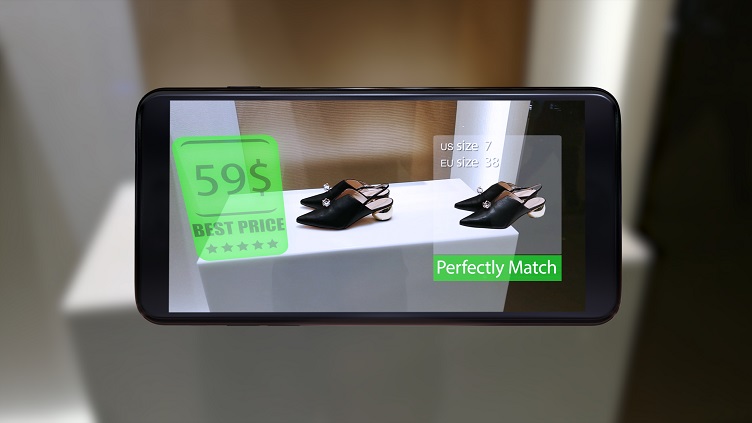
Retail overlays are a separate build from placement AR, and a much larger one.
Three things, and only the first one is really about 3D.
- A model built for real time. Not a render model. It has to be light enough to load on a phone over mobile data, watertight from every angle, correct in dimensions, and delivered in the formats the platforms read: GLB for Android and the web, USDZ for iOS. The specifications and prices are on our AR ready 3D models page.
- File discipline. Shopify accepts GLB files up to 500 megabytes but states that the ideal file is around four megabytes, and it optimises anything over fifteen. That gap between what is allowed and what is sensible is where most bad AR experiences come from.
- Correct dimensions in your product data. AR renders the model at the size you declare. If the spec sheet is wrong, AR does not forgive it the way a photograph does, and a sofa that appears too small is worse than no AR at all.
What it costs
| What you are paying for | What moves the number |
|---|---|
| The model | Complexity of the product and whether you have usable CAD |
| Real time optimisation | Getting the file small without visible loss. This is craft, not a checkbox |
| Materials | Fabric, brushed metal and glass take longer to make convincing on a phone |
| Variants | Cheap after the first one, because the geometry is reused |
| Platform work | Usually none for a standard store, which surprises most people |
The economics are unusual in one respect worth planning around: the second product in a catalogue costs less than the first, and the tenth much less again, because materials and conventions carry over. Ordering one model to test AR is the most expensive way to buy per unit. Prices, live AR examples you can try, and what we need to quote are all on our AR product visualization page.
Why AR projects quietly fail
- The button is hidden. If AR sits below the fold in a secondary gallery, usage stays near zero and the conclusion drawn is that AR does not work.
- One product got it. A single AR enabled item in a catalogue of hundreds is a demo, not a feature, and no shopper learns to look for it.
- The file is too heavy. Several seconds of loading on mobile data and the buyer is gone before the model appears.
- The model looks like a model. Flat materials and a missing contact shadow break the illusion instantly, and the product then looks cheaper than it is.
- Nobody measured. Without tracking who opened AR and what they did next, the project cannot be defended at the next budget round.
FAQ
If you are deciding whether AR is worth it for your catalogue, the question to answer first is which doubt it would remove. Send us the product page you would start with and the reason people send that item back, and we will tell you whether a model changes anything.

Ian Diev
Content Writer, Editor
Ian loves writing about innovative 3D technologies and their impact on architecture and design. In his spare time, he makes indie music, watches obscure movies, and cooks culinary masterpieces for friends.