
Contents
Virtual product photography is the production of product images without a camera: the photos are rendered from a 3D model of the product inside a digital studio. The results are ordinary JPG and PNG files that go into the same listings, catalogs and ads as camera shots, and at today’s quality level shoppers cannot tell the two apart. Brands switch to the virtual route for a practical reason: once the model of a product exists, every next image is a new camera angle in software rather than a new booking, shipping box and studio day. This guide explains how the process works, what it costs at our studio, and where a traditional photoshoot still wins.
What virtual product photography is
Technically, a virtual product photo is a pre-rendered CGI image: a 3D model of the product is placed in a digital scene, materials and light are set up, and a virtual camera takes the shot. The industry uses several names for the same thing, virtual photography, CGI photography and product rendering among them. One neighbouring term deserves a note: 3D product photography is often used more broadly, covering both turntable rigs that shoot a physical product and the rendered route described here. This page is about the second, fully digital path.
How it works, step by step
- The model. The studio builds a 3D model of your product from CAD files, technical drawings or a set of clear photos with dimensions. This is the only stage that depends on your materials, and how long a 3D model takes breaks down how long it takes for a typical product.
- Materials. Fabrics, metals, plastics and finishes are recreated as physically accurate materials, so light behaves on them the way it does in reality.
- The virtual studio. The scene is lit like a real set, with softboxes, reflectors and environment light, except every parameter is adjustable after the fact.
- The shots. The virtual camera takes every frame the listing needs. A revision is a camera or material change, not a reshoot.
The craft behind these four steps, from modeling standards to lighting, is unpacked in our 3D product rendering guide.
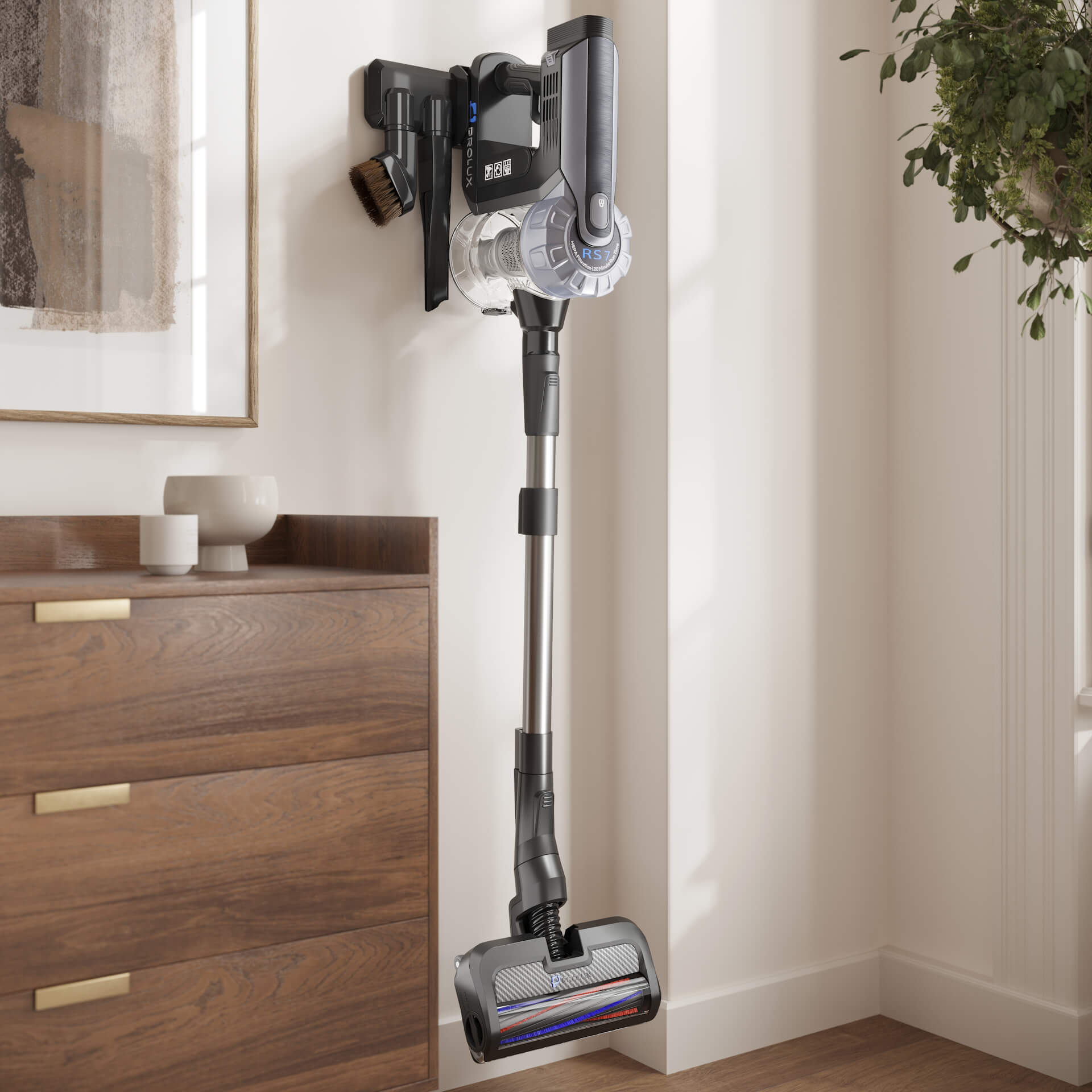
What one model produces
- Silo shots. Clean images on white for the store and the marketplace, from any angle, covered in white background product photography.
- Lifestyle scenes. The product in a styled interior or outdoor setting, the format lifestyle product photography explores in detail.
- Closeups. Macro views of stitching, texture and mechanisms that a lens struggles to reach.
- Colour and material variants. Every colourway from the same scene, without re-shooting anything.
- 360 spins. The same model rendered frame by frame into an interactive rotation, explained in 360 product photography.
Virtual photography against a studio shoot
An honest comparison, because the answer is not always the render.
- The camera wins for food and organic products, for one-off hero shots of items that already exist, and for brands that own a photo corner and shoot hundreds of stable SKUs on a rig.
- The render wins when products come in variants, when the catalog changes every season, when items are heavy or awkward to ship to a studio, when marketing starts before manufacturing, and when the whole catalog must look perfectly consistent.
The full budget mathematics of the two routes, with the numbers side by side, is in product photography cost.
What it costs
At UFO3D the model of a typical product is about 200 USD, paid once. Silo renders are around 20 USD per image as one-offs and about a dollar per image in catalog batches, lifestyle scenes start at 120 USD, and work is billed at 20 USD per hour with two revision rounds included. The model is the asset that keeps earning: every later angle, variant or seasonal scene reuses it. Current terms are on our product rendering services page, and five finished projects are broken down in rendering examples with the reference photos.
When switching pays off
Four situations reliably tip the economics toward the virtual route: a product line with colour or material options, seasonal campaigns that would otherwise mean re-shooting the same items in new settings, a launch where imagery is needed while the product is still in production, and a catalog that has grown inconsistent after years of different photographers. If one of these describes your next quarter, the switch usually pays for itself within the first campaign.
FAQ

Catherine Paul
Content Writer, Editor
Catherine is a content writer and editor. In her articles, she explains how CGI is transforming the world of architecture and design. Outside of office, she enjoys yoga, travelling, and watching horrors.