Yes, Amazon accepts 3D rendered product images, and that includes the main image. Its product image guide for the US store asks for a main image that will “accurately represent the product as a realistic, professional-quality image”: a pure white background, the product filling 85% of the frame, and the real scale, quantity and colour. Nowhere does it say the file has to come from a camera. So a photoreal render of the real product passes, while a stylised one, a placeholder or a render that makes the product look bigger or glossier than it is can be removed.
The gallery, A plus modules, the video and the 3D view can all be rendered too. This guide reads Amazon’s rules from the side of a 3D model, then covers the image set, the price, and the brief that gets the first round close.
Contents
- Amazon image requirements and what they mean for a 3D render
- Amazon listing images: seven slots rendered from one 3D model
- Amazon A+ content, video and View in 3D from the same model
- Amazon product rendering service: what it delivers and costs
- 3D rendering or a photo shoot for Amazon: how to choose
- Amazon product rendering vs photography on price
- Why Amazon rejects product images, rendered or not
- How to brief a studio for Amazon 3D rendering
- Frequently asked questions
Amazon image requirements and what they mean for a 3D render

The main image is strict. The rest of the gallery is where you are allowed to sell. Here is what the current guide asks for, read from the side of a 3D model.
| Requirement | What Amazon asks | What it means for a render |
|---|---|---|
| Background of the main image | Pure white, RGB 255 255 255 | Rendered on true white, so there is no cut out or clipping path to fix |
| Product in frame | 85% of the image, the whole product, shown once | The virtual camera is framed to one unit with nothing cropped |
| Accuracy | Real scale, quantity and colour | Dimensions from CAD or measurements, materials matched to a sample or swatch |
| Size | At least 500 px on the longest side, 1,000 px or more for zoom, 10,000 px at most | Output large from the start, so zoom works on the first upload |
| Formats | JPEG recommended, also TIFF, PNG and non animated GIF | Flattened files, never a layered PSD |
| Colour mode | RGB preferred, CMYK converted before upload | Saved straight to RGB |
| Not allowed on the main image | Props not in the box, mannequins, packaging unless it is a feature | Simply not modelled |
File types Amazon refuses are listed in its technical image file requirements, and category style guides add rules on top, so check the current one in Seller Central before the renders are made. The full set of rules and file naming is in Amazon image requirements.
Amazon recommends at least six images beyond the main one, plus a video. On a listing shared by several sellers it picks which images to show, and compliant ones win.
One newer rule touches lifestyle renders: a scene with photorealistic people generated entirely by AI needs the keyword contains-synthetic-performer in its metadata before upload.
The stakes are high: Statista puts Amazon at 40.5 percent of United States ecommerce in 2025, and the National Retail Federation expects 19.3 percent of online sales to be returned this year.
Amazon listing images: seven slots rendered from one 3D model
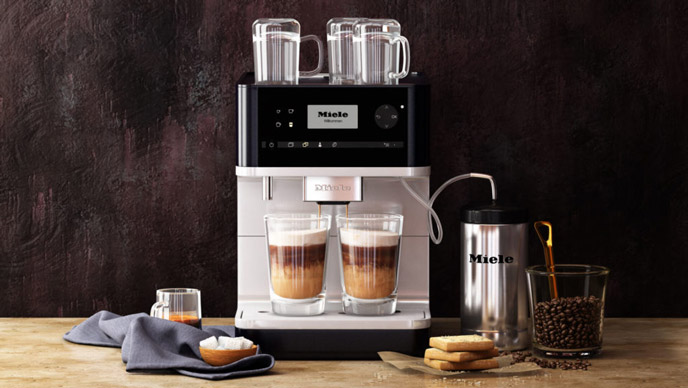
A listing that converts tends to use the same seven slots, in this order. All seven can come out of one 3D model.
- Main image. Product on white, filling the frame, nothing else. It wins or loses the click in search, so the angle is picked for how the shape reads small.
- Scale. The product next to something familiar, or with dimensions marked. Size confusion drives a lot of returns, and a model built to real dimensions cannot drift the way a styled photo can.
- Detail. Close ups of the parts that justify the price: the stitching, the finish, the connector, the mechanism.
- In use. The product in a real setting. The room comes from a scene library, not a location booking.
- Features. An annotated image, one claim per callout, readable at thumbnail size.
- What is in the box. Everything the buyer receives, laid out. Each part already exists in the model, so the flat lay is a new camera rather than a new shoot.
- Variants and comparison. Colours, sizes, the model above and below in the range. A new colour is a material swap on the same file.
The set matters more than any single frame. Two brands can have equally good main images, and the one that also answers size, detail and contents will out sell the other.
Example: one stick vacuum model, several Amazon slots
A cordless stick vacuum from our portfolio shows it. One model, approved as a grey model first and then textured, gives both silo angles below: one for the main slot, one for the gallery, at the same scale.
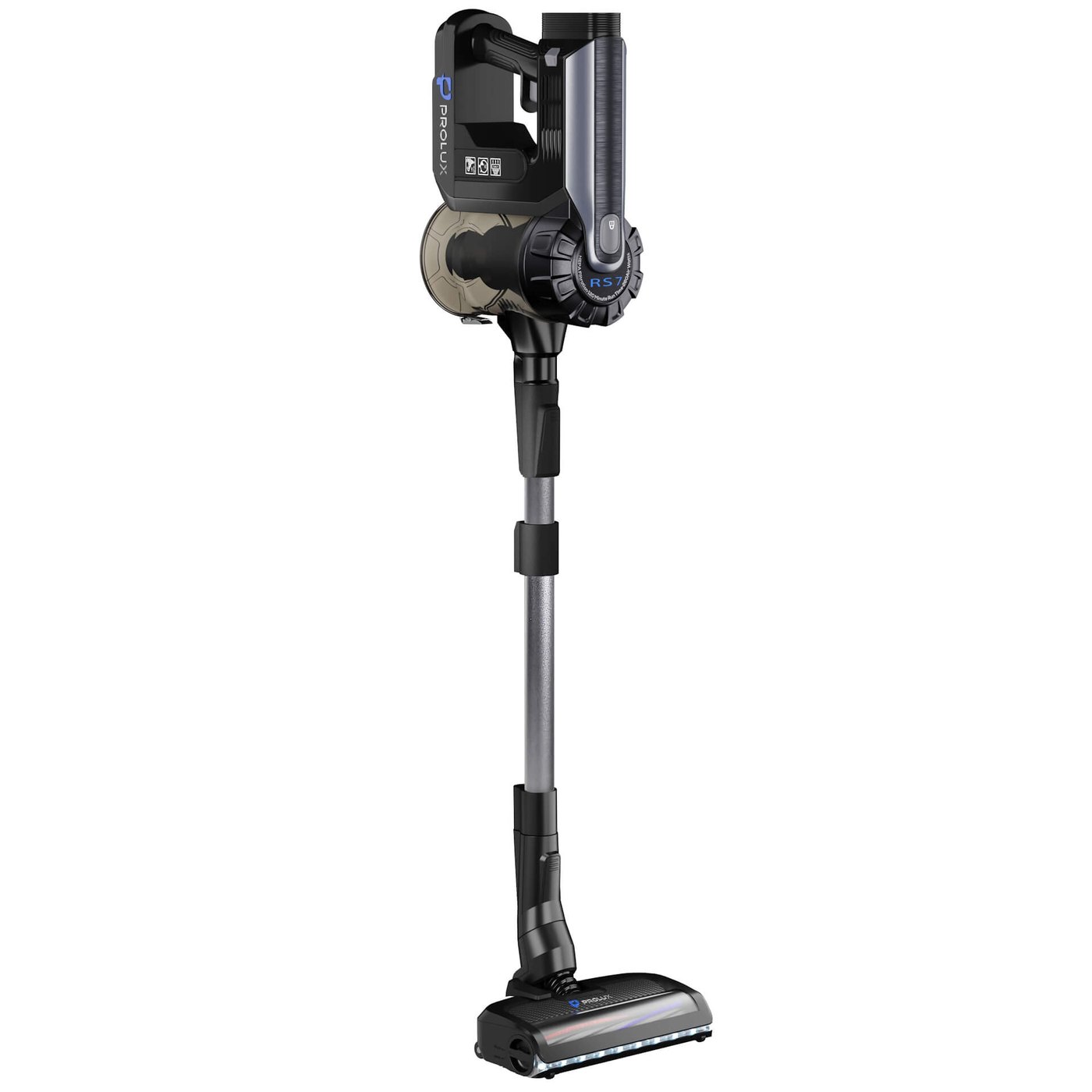
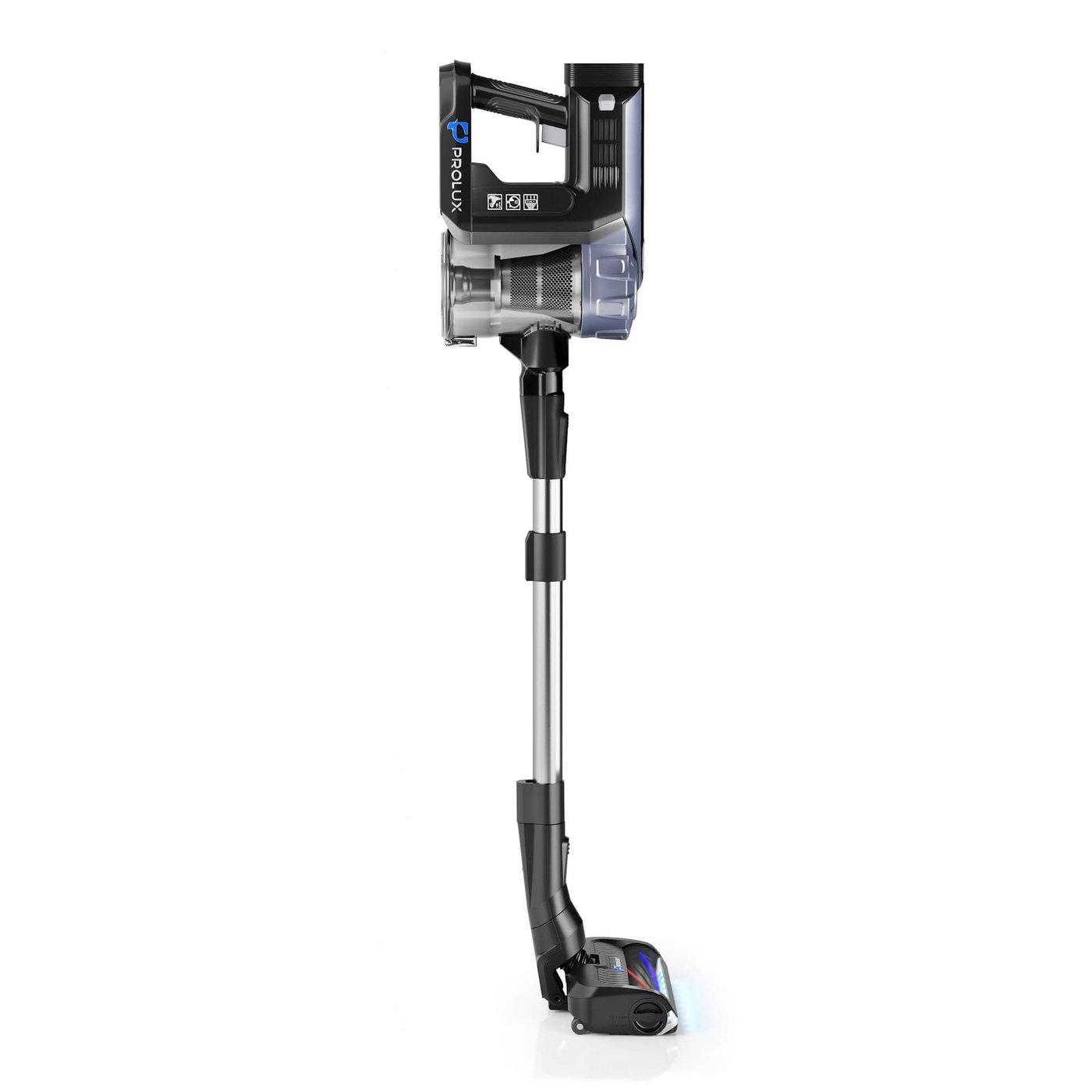
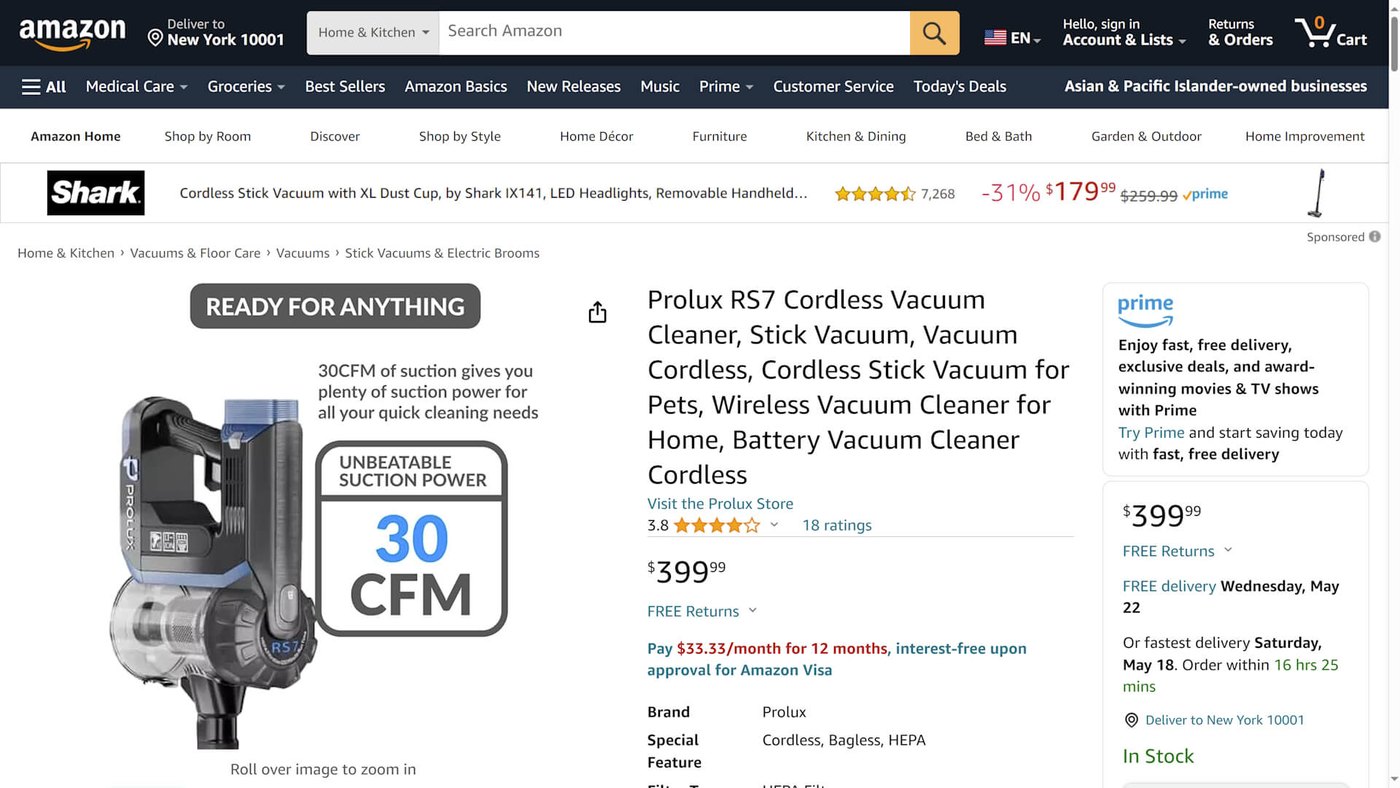
The feature slot comes from the same model. In the next image the handheld unit is cut out of the render and set beside a single claim, which is the format the features slot asks for: one point, big enough to read on a phone.
Amazon A+ content, video and View in 3D from the same model
Below the gallery there is a second layer, and most catalogues use it badly or not at all. The same 3D file feeds all of it.
A plus content. Brand owners get modules under the gallery. Amazon’s A+ Content guide sets Basic A+ images at 970 x 300 px and Premium at 1464 x 600, each file under 2 MB and in RGB, and it asks for images that do not repeat the gallery. That last rule is where rendering helps: fresh angles and scene crops come from the model you already paid for.
Video. Sits in the image carousel and gets watched. Thirty seconds of the product working, rendered from the same model, answers more objections than any bullet list. Here is more on video on an Amazon listing.
360 spin and View in 3D. Amazon’s own 3D and AR page lists View in 3D for shoes, eyewear, furniture, toys, electronics and other products. It does not mention frame based spins. So for an interactive view on Amazon, plan for a GLB model and keep the rendered 360 frame set for your own site.
View in Your Room. Lets a shopper stand the product in their own room at true scale, and Amazon offers it for furniture, decor and wall mounted items. Virtual Try-On covers shoes and eyewear. Amazon charges nothing to add these; an existing model goes in through Image manager in Seller Central if it meets the technical and quality requirements. We make that model from the same file as the renders. If you want the mechanics, we wrote about how AR works on a product page.
Amazon product rendering service: what it delivers and costs
An Amazon product rendering service builds a 3D model of your product once and turns it into every file the listing asks for. At the end of a project you should have:
- a main image on pure white, RGB, over 1,000 px on the longest side, as a flattened JPEG;
- gallery renders for scale, details, box contents and each colour;
- scene images, with crops sized for A plus modules;
- if ordered, a film for the carousel and a GLB file for View in 3D;
- the editable source file, because the model is yours.
Our prices, with renders on white included in the model price:
| What you order | Price | Time |
|---|---|---|
| 3D model of a simple part | about $80 | about one day |
| 3D model of a typical product, such as a portable speaker | about $200 | two to three days |
| Product with a working mechanism | about $400 | three to five days |
| Watch with its movement | from $1,200 | one to two weeks |
| Scene (lifestyle) image | from $120 per image | two days for simple images, up to five for complex ones |
| Product animation | $30 to $60 per second | two to four weeks for a film |
| Catalogue of 50 SKUs or more | 20% off | about one week for 100 SKUs, depending on the brief and inputs |
A worked example. Say a brand lists 60 products, all of typical complexity. At about $200 a model that is $12,000 at list price, and the 20% batch discount brings it to about $9,600, with the renders on white for every main image already inside that figure. Ten scene images for the hero products would add from $1,200. The 3D models stay with the brand, so the next colour or the next A plus module costs a render, not a rebuild.
A quote comes back within one business day. Work starts with the grey model, the geometry without materials, which you approve before materials, lighting and images go on. Two rounds of changes are included in the price.
To start, we need CAD or STEP files, drawings with dimensions, or photos of a sample (front, side, three quarters) with overall measurements. An NDA is signed first if you want one, and under the timeliness guarantee a late project is free. The full breakdown sits on our 3D product rendering services page.
3D rendering or a photo shoot for Amazon: how to choose

| Photography | 3D rendering | |
|---|---|---|
| Main image on white | Straightforward | Accepted when it matches the real product, see the note below |
| Colour and material variants | A separate shoot for each one | Swap the material, re render, no new shoot |
| Lifestyle scenes | Location, styling, permits, a day of work | Built once, reused and re lit for every product |
| Product availability | A physical sample has to exist and be shipped | CAD or drawings are enough, so visuals can be ready before production |
| 360 spin and AR | Turntable rig, and AR still needs a 3D model | Comes from the same model |
| Textiles, food, anything organic | Usually wins | Possible, but slower and more expensive |
| One small product, one shot, in a hurry | Usually wins | Overkill |
The note about the main image. Plenty of seller advice still says the main image must be a photograph, and the current US guide does not say that. Renders get into trouble on accuracy instead, such as a finish the factory does not make or a placeholder uploaded early. Build the main render from real data and check it against a sample.
The honest summary is that this is not a war. Brands with large catalogues and lots of variants save real money with 3D. A single seller with one product and a sample on the desk does not need a 3D pipeline, they need a decent photographer.
Amazon product rendering vs photography on price
Studio rates vary by city, by product and by how much retouching is involved, so treat the photography lines below as market ranges rather than quotes. The 3D lines are ours.
| What you are buying | Unit | Typical price |
|---|---|---|
| Photo studio, product on white | per image | roughly $25 to $75 in the US, less in bulk |
| Photo studio, lifestyle set | per image | from around $150, and up quickly with location and models |
| 3D model of the product, renders on white included | one off, then reusable | about $80 simple, $200 typical, $400 with a mechanism, from $1,200 for a watch with its movement |
| Render in a scene | per image | from $120 |
| 360 spin | per product | quoted on frame count, on top of the model |
The arithmetic that decides it is usually variants. One product in six colours is six shoots on the photography side and one model plus six renders on the 3D side. Below three or four images per product, photography is normally cheaper. Above that, and especially with a catalogue that refreshes, 3D wins.
Why Amazon rejects product images, rendered or not
- Text, badges or a logo on the main image. The single most common reason for suppression.
- A background that looks white but is not. Off white or a soft grey gradient will not pass.
- The product floating small in the frame, so the thumbnail reads as nothing.
- Files under 1,000 px, which kills zoom and quietly costs conversions.
- Images that flatter the product into something it is not. That is the one that brings returns and complaints.
How to brief a studio for Amazon 3D rendering
Whether the work goes to a studio or to us, the same package saves a week of back and forth.
- The product itself, or CAD files, technical drawings and exact dimensions if it is not manufactured yet.
- Material and finish references. Photos of the real surface beat a colour name.
- The list of variants that need covering.
- Two or three reference listings you like, and one you do not, with a line on why.
- Where each image will be used: main slot, gallery, A plus module, ad creative.
Our brief template turns that list into a form you can fill in: materials and colourways, references, a numbered shot list, and a line for where each image will run, marketplace included. Fill it in once and send the same file to every studio you are comparing.
Download the 3D rendering brief template (PDF)
On our side the base model comes first, then everything else is an output from it: product rendering for the gallery, spins, product animation for the carousel and an AR ready file. The model is the asset you keep. How each of those images gets made, and what each type costs, is walked through in our guide to render types.
Five projects with the model shown under the finished image are in product rendering examples, and the rest of what we make is under 3D modeling and rendering services.
Frequently asked questions

Ian Diev
Content Writer, Editor
Ian loves writing about innovative 3D technologies and their impact on architecture and design. In his spare time, he makes indie music, watches obscure movies, and cooks culinary masterpieces for friends.