
What is on this page
- Which files we can use right away
- Issue 1: sharp edges and a triangulated mesh
- Issue 2: broken geometry from CAD export
- Issue 3: broken shading from poor topology
- Issue 4: 3D scanned models
- Issue 5: geometry and UV map defects
- Issue 6: not enough detail
- Issue 7: holes and missing polygons
- What this means for your timeline and budget
- FAQ
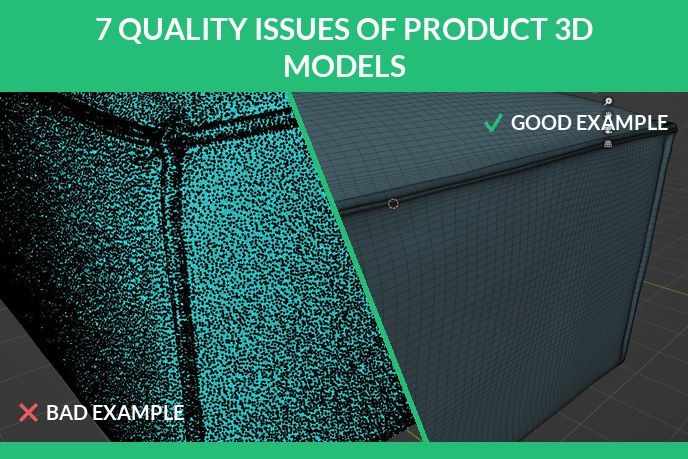
Clients often come to us with 3D models they already own: files from the product engineer, an old agency, a marketplace or a 3D scanner. Sometimes we can start rendering from them the same day. Sometimes the file opens and it is immediately clear the model has to be rebuilt. The difference is not luck, it is a short list of quality issues that repeat from project to project. This article shows the seven we see most, each with a real bad example next to a good one, so you can check your own files before sending them to any studio. What the finished work looks like when none of the seven are present is in five of our rendering projects.
Which files we can use right away
FBX, STEP and OBJ are the formats we can usually take straight into work. If your models live in another format, 3DS, STL, 3D DWG, SKP or RVT, send them anyway: these files tend to carry quality issues from conversion, so we review them first and only then confirm the delivery time. What a healthy product model looks like from the inside is described in our 3D modeling standards.
Issue 1: sharp edges and a triangulated mesh
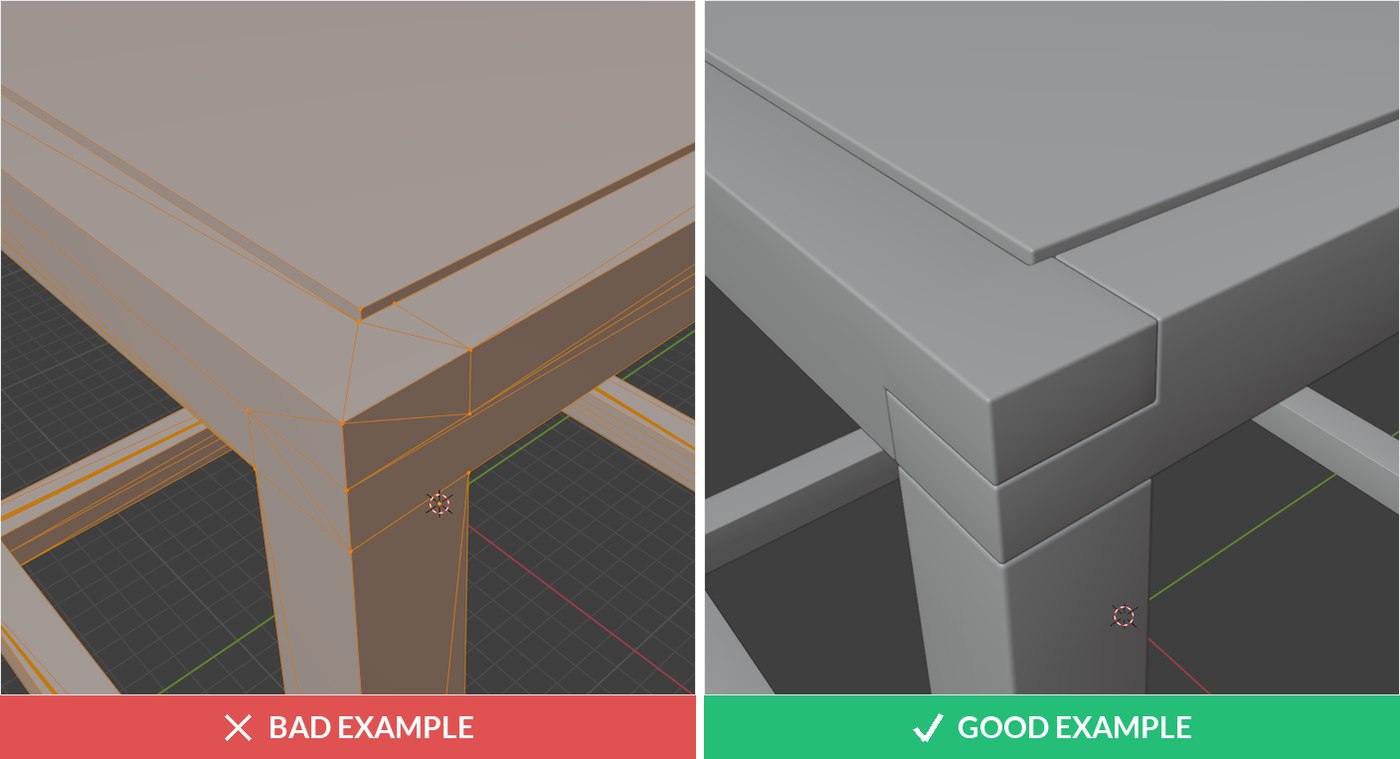
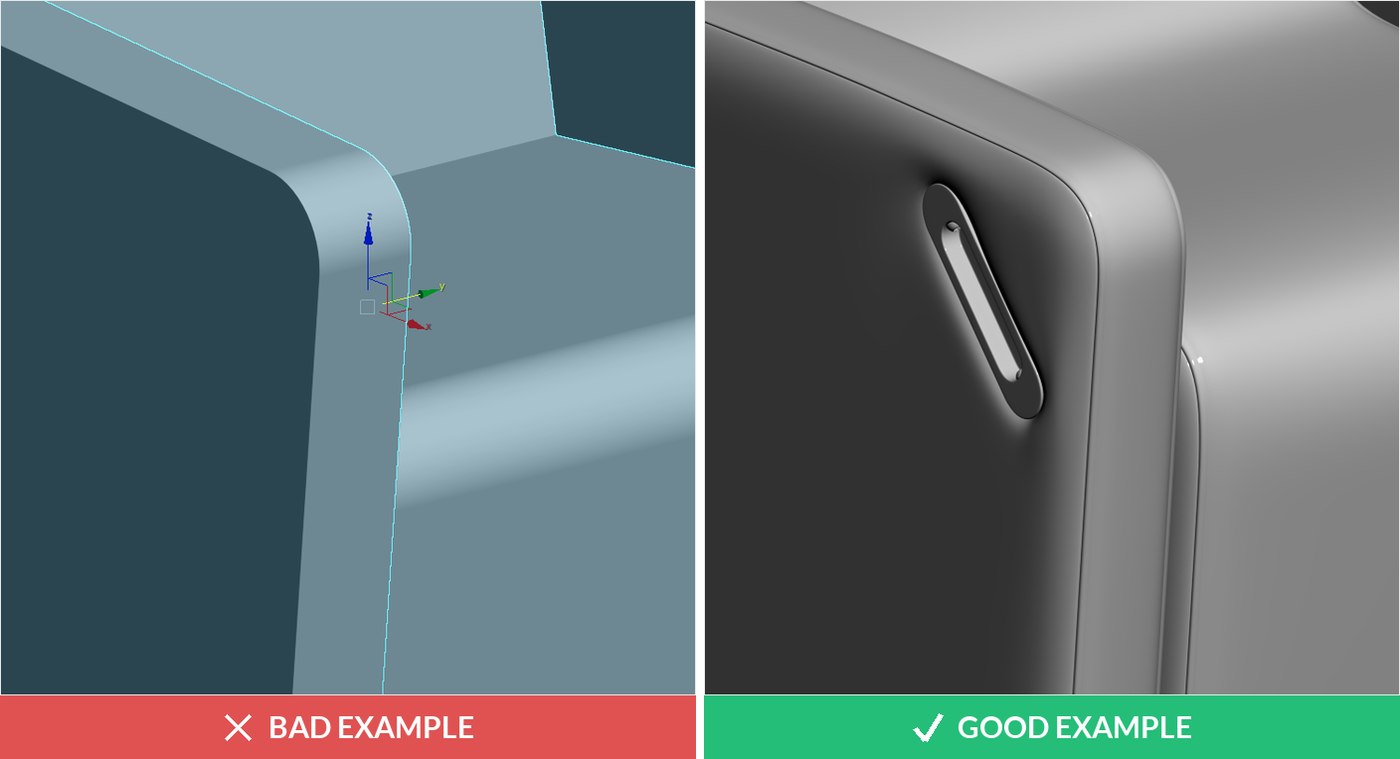
The model has knife-sharp edges with no rounding, and the mesh is triangulated, which makes it practically impossible to edit. Real products almost never have mathematically sharp edges: without the tiny bevel, light does not catch the edge and the render looks fake. A model like this has to be remodeled.
Issue 2: broken geometry from CAD export
A typical 3D DWG export: surfaces that looked fine in the engineering package arrive torn, flipped or self-intersecting. CAD tools describe shapes mathematically, and the translation to polygons often breaks. The geometry has to be rebuilt before any material will sit on it correctly.
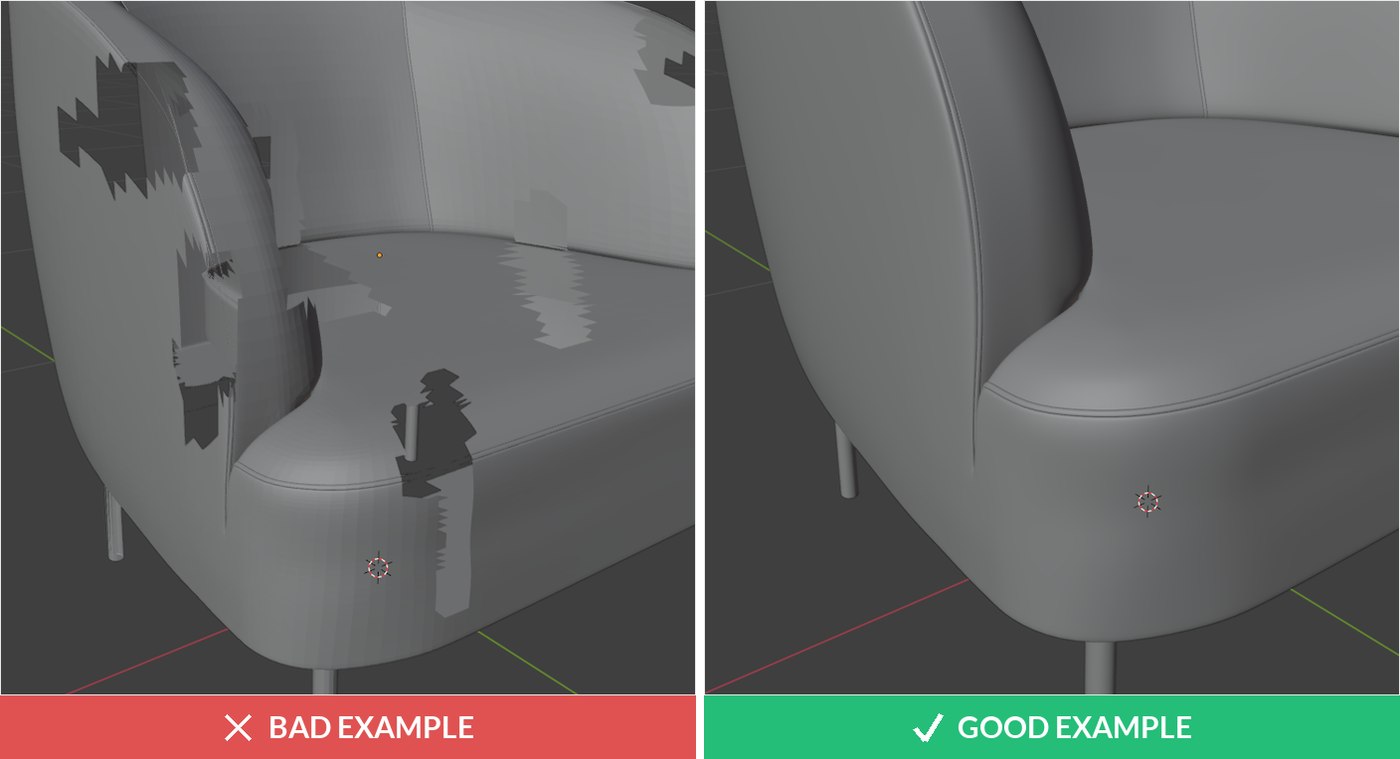
Issue 3: broken shading from poor topology
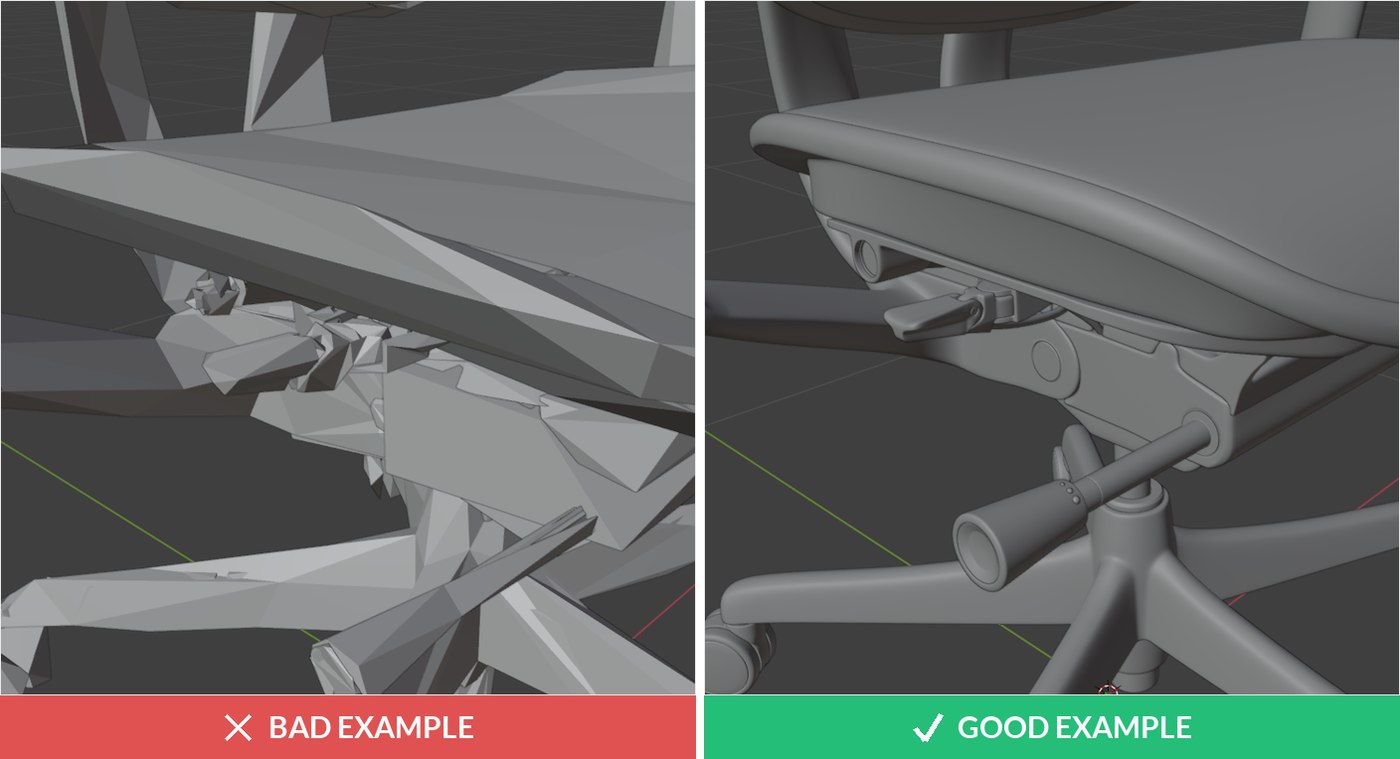
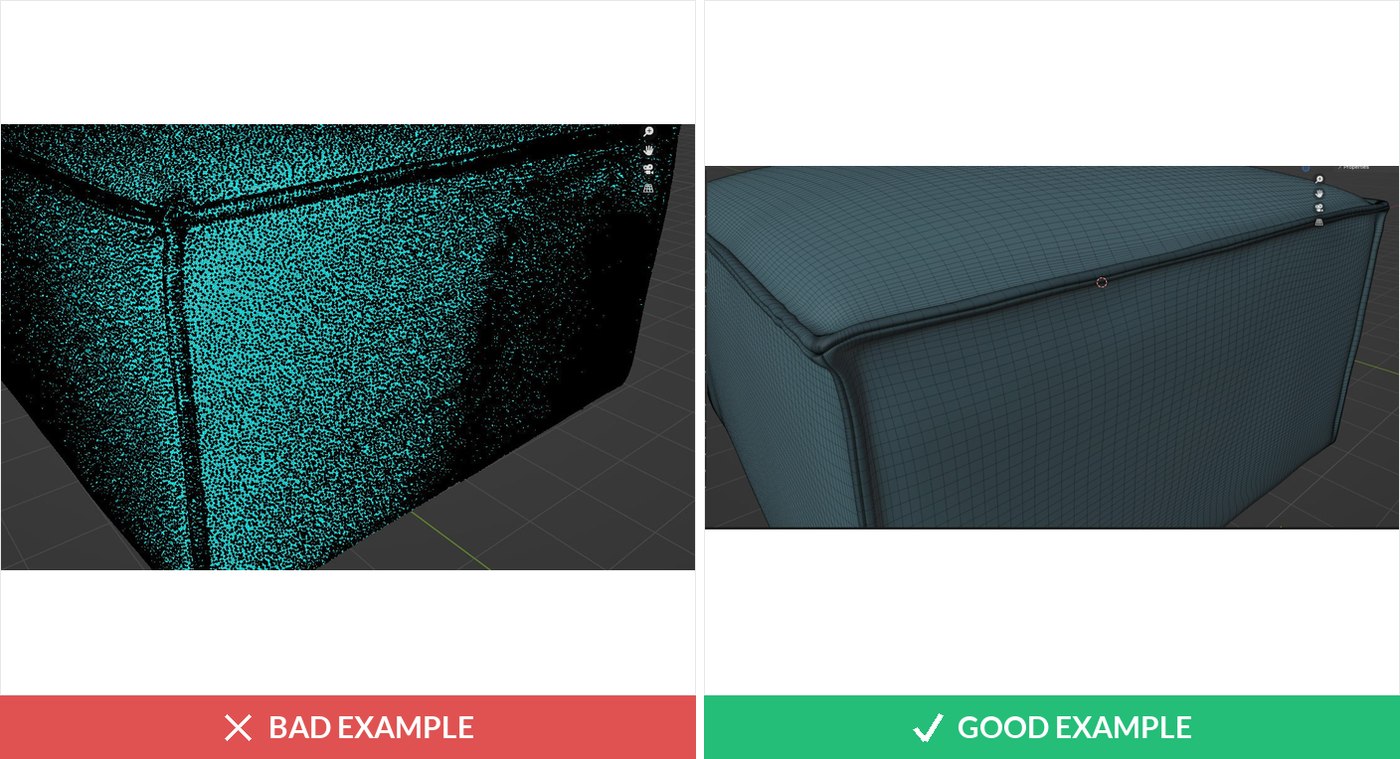
The silhouette looks right, but the surface shows blotches and creases under light. That is broken shading caused by messy topology: the polygons are laid out so badly that smooth surfaces cannot stay smooth. It shows up in every render and gets worse in closeups.
Issue 4: 3D scanned models
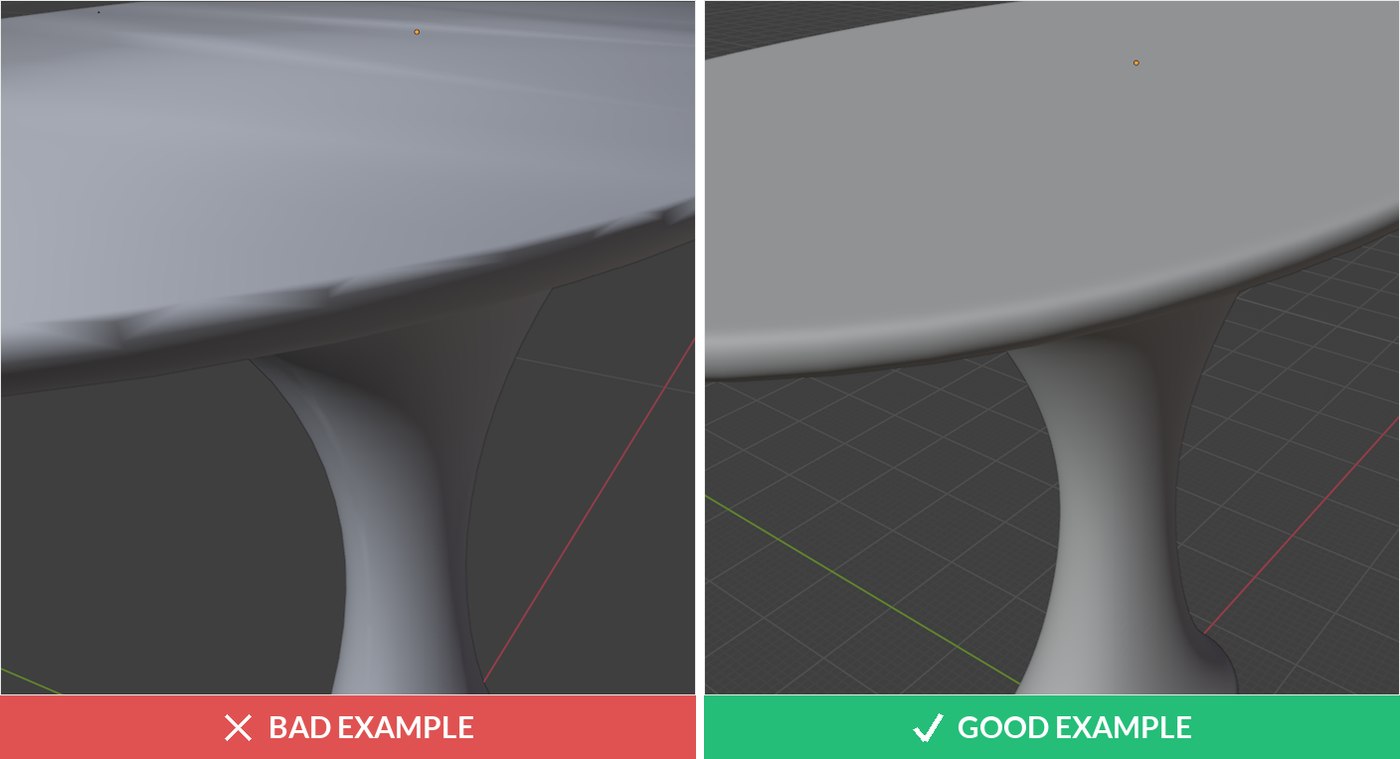
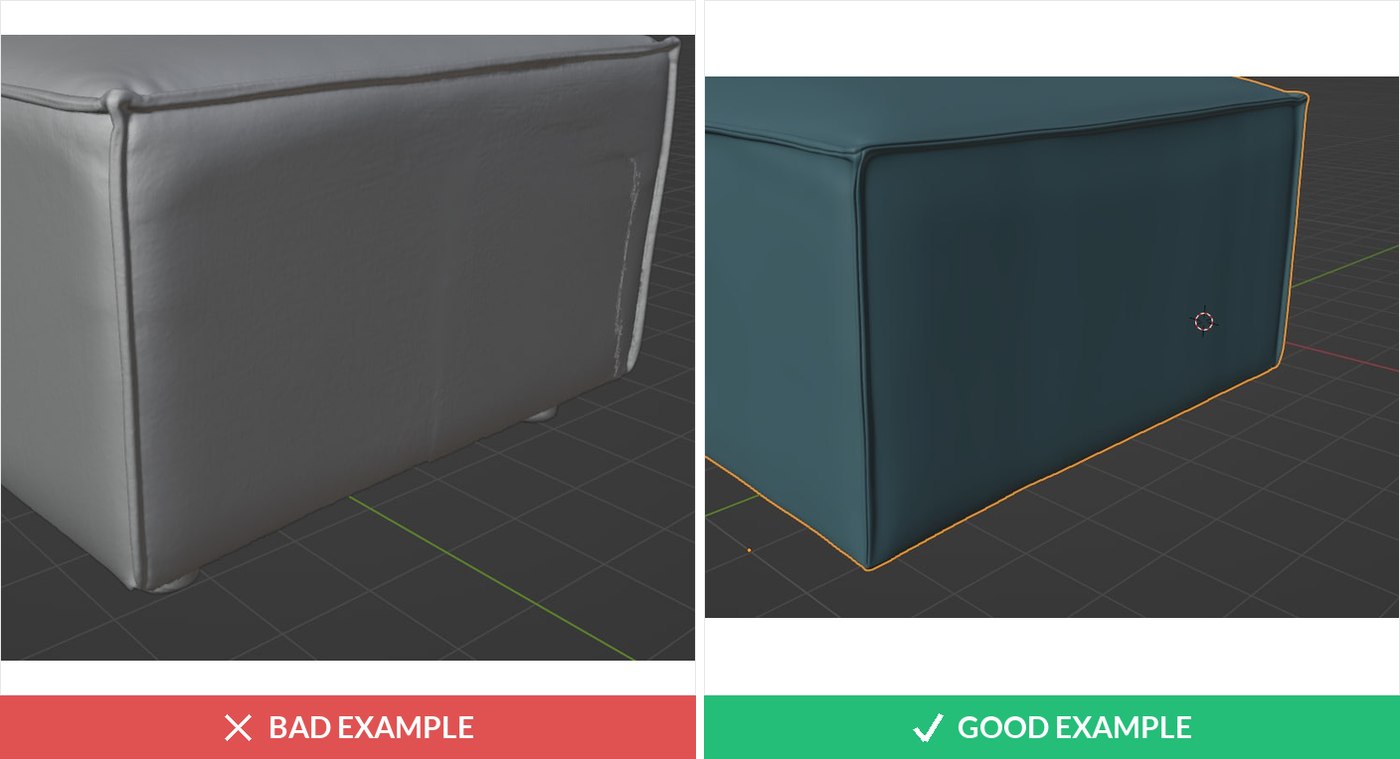
Scans capture the overall shape well, but the mesh is extremely dense, full of noise and nearly impossible to edit. A scanned model cannot be used for photoreal rendering directly, so we rebuild it. The scan itself is still valuable: it is an excellent reference that makes the rebuilt model accurate to the physical product.
Issue 5: geometry and UV map defects
The shape may be passable, but the UV map, the flat layout that tells textures how to wrap around the model, is broken. Materials stretch, seams land in visible places, patterns warp. We fix the geometry and build a new UV map, otherwise no finish will ever look photoreal on this model.
Issue 6: not enough detail
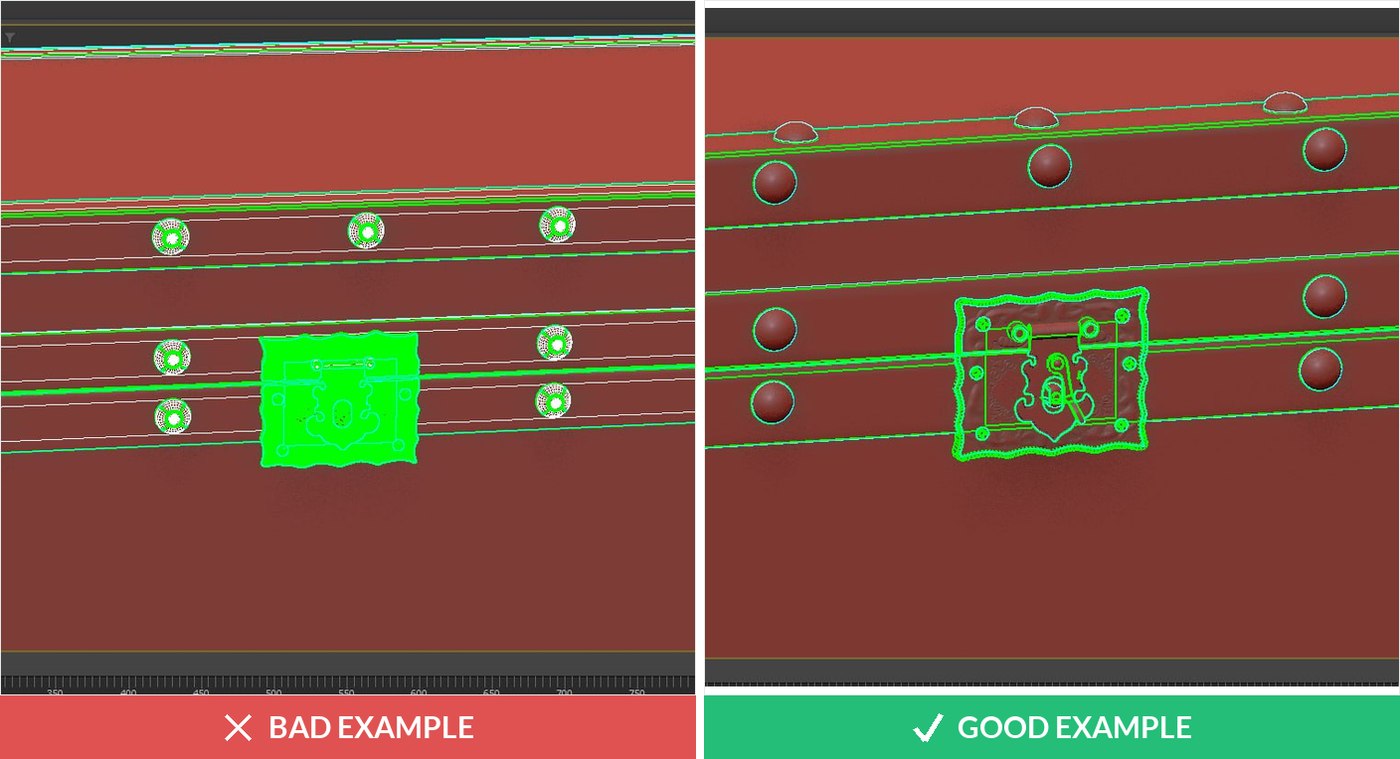
The model shows only the general dimensions: no seams, no creases, no stitching, none of the small geometry that makes a product recognisable. Such a model works as a placeholder, but for marketing imagery the detail has to be modeled in, because detail is exactly what closeups sell.
Issue 7: holes and missing polygons
The surface has holes and missing polygons. Sometimes they hide on the underside, sometimes they sit in plain view and only show up when the camera or light moves. A watertight surface is a baseline requirement, and patching someone else’s mesh is often slower than rebuilding the part.
What this means for your timeline and budget
When your files pass the check, modeling cost drops out of the project and we go straight to rendering. When they do not, we tell you before work starts: the review is exactly why we ask for the files first. A rebuild is priced like regular modeling, about 200 USD for a typical product at 20 USD per hour with two revision rounds, on our product 3D modeling services page. How long the modeling stage takes is broken down in how long a 3D model takes, and if you are choosing who to trust with the fix, our guide to 3D modeling companies lists the questions worth asking any studio.
FAQ

Ian Diev
Content Writer, Editor
Ian loves writing about innovative 3D technologies and their impact on architecture and design. In his spare time, he makes indie music, watches obscure movies, and cooks culinary masterpieces for friends.