
Contents
A 3D product visualizer is a widget on a product page that lets the shopper handle the product instead of looking at it: drag to rotate, zoom into the stitching, switch the fabric, watch the finish catch the light. For the buyer it is the closest an online store gets to picking the thing up. For the brand it is a conversion tool with a specific anatomy, and knowing that anatomy is the difference between a smooth project and an expensive surprise. This page explains how visualizers work, what a project looks like stage by stage, and which part of it we build.
What a 3D product visualizer is
Technically it is a 3D model of your product loaded into a viewer that runs in the browser. The shopper interacts with the model in real time, which is what separates a visualizer from a video or a spin: nothing is prerecorded, the camera goes wherever the buyer drags it. Visualizers earn their keep on products where inspection sells, furniture, appliances, gear, jewelry, and on ranges with many options, where showing every combination as static images would take thousands of frames. The practice it belongs to, alongside stills, spins and AR, is mapped in our 3D product visualization guide.
Visualizer, configurator, AR view: which is which
Three tools get mixed up in briefs, and they are built on the same asset but do different jobs.
- A visualizer lets the buyer examine the product: rotate, zoom, sometimes switch a colour. Viewing is the job.
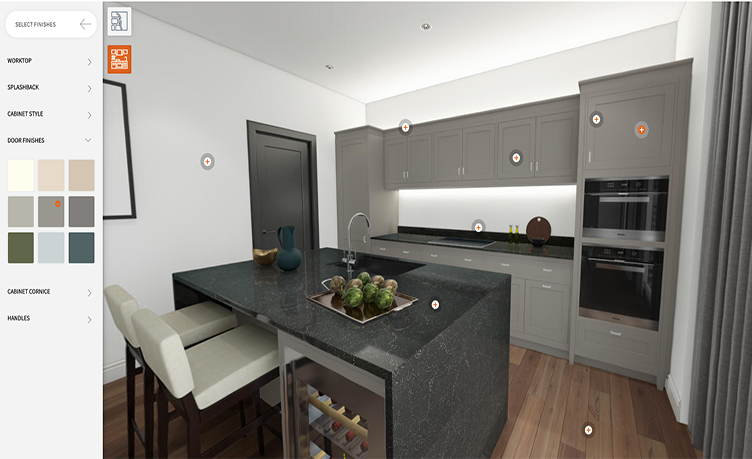
- A configurator adds rules and commerce: options with prices, combinations that exclude each other, a cart that knows what was built. We unpacked it, with honest numbers, in 3D product configurator, and the platforms it runs on are compared class by class in product configurator software.
- An AR view takes the same model out of the page and stands it in the buyer’s room at real size, covered on our augmented reality product visualization page.
The upgrade path usually runs in that order, and all three run on one model built once.
How the tool works under the hood
Two architectures exist, and which one you get should be a decision, not an accident.
Real time 3D. The model ships to the browser as a GLB file and is drawn live by WebGL or WebGPU. Any angle, smooth rotation, instant material switches. The catch is the weight budget: the model must be rebuilt light enough for a phone, which is a craft of its own.
Prerendered stacks. The older approach: the studio renders dozens of frames per option, and the widget layers them like a sandwich, a base image plus masks for each customizable part. It looks flawless because every frame is a full render, but each new option multiplies the image count, so it suits products with few options and photoreal ambitions.
Most modern projects go real time, and marketplaces have followed: the same GLB that powers a site visualizer powers 3D listings.
The four parts and who supplies each
- The 3D models. Accurate, light, with every option modeled. This is the part we build, from your CAD, drawings or photos, priced like any 3D product modeling project.
- The viewer. The software that draws the model in the browser: an off the shelf library or a platform product. It is licensed, not custom built, in most sane projects.
- The integration. Embedding the viewer into your store platform and wiring options to your catalogue: your developer or the platform vendor.
- The content pipeline. The agreement on how new products and variants get added later. The projects that fail usually skipped this part, not the first three.
We state this plainly because it saves clients money: a studio that offers to custom develop the whole widget is usually rebuilding something a platform already sells. Buy the platform, commission the models.

The five stages of a visualizer project
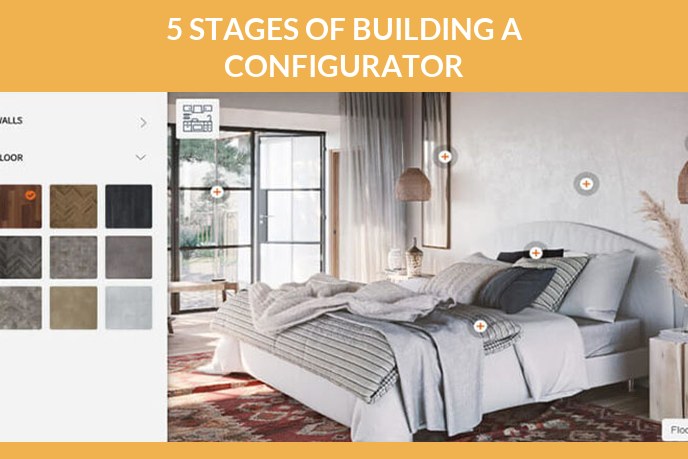
- The brief. Which products, how many options each, which platform your store runs on, real time or prerendered, and a link to a visualizer you like. Whether 3D models already exist decides half the budget.
- Scoping. The team walks the brief, prices the model work, and agrees deadlines. This is where the four parts get assigned owners, in writing.
- Models and materials. Every product and every option gets modeled and dressed in physically accurate materials. You approve grey geometry first, then finished looks.
- Interface and options. The viewer is configured, options wired, behaviour polished: rotation limits, zoom range, load placeholders.
- The check. Every option combination clicked through on desktop and phone, load times measured, and only then does the widget go live.
What the 3D models must survive
The asset quality decides whether the visualizer feels premium or janky, and the requirements are stricter than for a render. The model has to stay light enough to load before the shopper scrolls away, hold up at full zoom, keep every option as a cleanly switchable material, and export to GLB for the web viewer and USDZ for AR without rework. A model built for static renders usually fails these tests and needs a rebuild, which is why we build visualizer assets as their own deliverable, from the same source files as the product rendering set. What makes a model production ready in general is covered in our 3D product rendering guide.
FAQ

Catherine Paul
Content Writer, Editor
Catherine is a content writer and editor. In her articles, she explains how CGI is transforming the world of architecture and design. Outside of office, she enjoys yoga, travelling, and watching horrors.
Let us know if you’ve got an interesting project and want to work together!