
Contents
Somewhere in your company a deck already says the product page needs a configurator, and someone has been told to pick the software. The market makes that job harder than it should be: the phrase product configurator software covers three different kinds of product with three different price logics, and every vendor demo looks equally convincing, because every demo runs on assets built by the vendor’s best artists. This guide sorts the classes, gives you the questions that actually separate the options, and covers the part of the project no platform ships in the box: the 3D models of your products.
What the software actually does
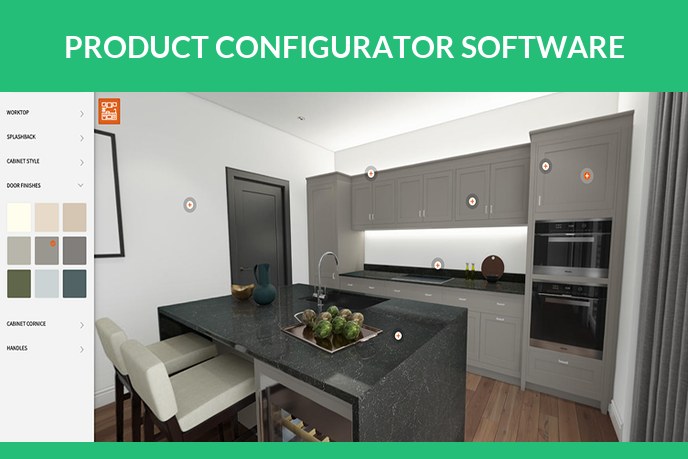
Strip any configurator down and it is three mechanisms wired together. A viewer draws the product, in real time 3D or as swapped images. A rules engine knows which options exist, which combinations are allowed and what each one costs. And commerce plumbing passes the result into your cart, your quote pipeline or your ERP. What a configurator is for, and what it earns for a store, is covered in our 3D product configurator explainer, and the anatomy of the viewer itself in 3D product visualizer. This page assumes you are past why and into which.
The three classes of configurator software
Ecommerce plugins. Apps that bolt onto Shopify, WooCommerce and their peers. Options are usually image swaps or simple overlays, pricing is a modest subscription, setup is days. The right call when your options are few, flat images are enough and the budget is a plugin budget. The ceiling: no true 3D, so no rotation and no AR, and combinations multiply into thousands of prepared images fast.
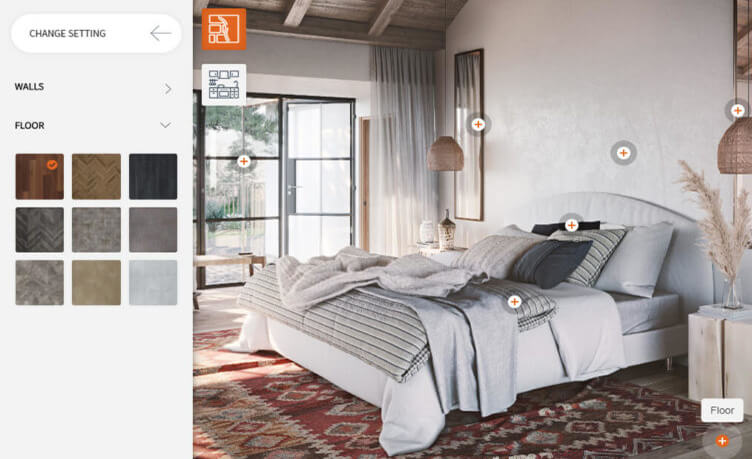
Visual 3D platforms. SaaS products built around a real time 3D viewer: the shopper rotates the product and switches materials live, and the same model can step out into AR. This is the class most people mean by a visual configurator, and the class where the demo asset gap is widest. Pricing typically combines a subscription with per SKU or per view components, and onboarding is weeks rather than days. The right call for furniture, gear, vehicles and anything sold in many finishes.
CPQ for manufacturing. Configure, price, quote systems aimed at engineered to order products: machinery, systems, industrial equipment. The configurator here is as much a sales tool as a page widget, wired into quoting and ERP, and the visual layer is often optional on top. If your product needs an application engineer to sell it, this is your aisle.
| Plugins | Visual 3D | CPQ | |
|---|---|---|---|
| Visuals | image swaps | real time 3D and AR | 2D or 3D, quote first |
| Typical buyer | small store | brand with variants | manufacturer |
| Time to launch | days | weeks | months |
| What it needs from you | images per option | proper 3D models | product logic plus models |
Seven questions that decide the pick
- How many products, and how many options each? Ten SKUs with three colours is a plugin. Two hundred SKUs with fabrics, finishes and modules is a platform.
- Do the options change the shape or only the surface? Colour swaps are easy everywhere. Modular sofas and configurable machines need real 3D and a cleanly structured model.
- Where does it live? A product page embed, a standalone tool for sales reps, or a step inside a quoting flow: each class assumes a different home.
- Do you need AR? If the buyer should stand the result in their room, the platform must export GLB and USDZ, and the models must be built light enough to survive the trip. What an AR ready file takes is on our augmented reality product visualization page.
- Who maintains the catalogue? New variants arrive every season. Ask what adding one costs, in money and in whose time, before you sign anything.
- How is it priced? Per month, per SKU, per view, per seat. Model your real catalogue against each formula, because the cheap tier is only cheap at demo scale.
- What happens if you leave? Ask whether your 3D models are exportable and yours. If the answer is vague, the platform is renting you your own products.
The part no platform ships: the models
Every configurator runs on 3D models of your products, and no software subscription includes them. This is the line item that surprises teams most, and it is the part we build. A configurator asset is stricter than a render model: it has to load on a phone before the shopper scrolls away, keep every option as a cleanly switchable material or module, look correct from every angle the buyer can reach, and export to GLB and USDZ without rework. Product customization runs on the same discipline, which is why the two projects usually share files.
The budget answer, in plain numbers from our 3D product modeling page: a typical product is about 200 dollars to model, option materials are priced on top and get cheaper with every variant because the geometry is reused, and work runs at 20 dollars per hour with two revision rounds included. The wider craft those models come from, rendering included, is mapped in our 3D product rendering guide.
The build order matters less than teams fear, with one rule: agree the asset spec with the platform before either side starts. Formats, polygon budgets, material naming, variant structure. A model built to spec drops into any sane platform. A model built blind gets rebuilt, and that is the most common avoidable invoice in these projects.
Red flags in the demo
- The demo looks perfect and nobody mentions whose models those are. Ask directly who builds yours, to what spec, and at what cost.
- Nobody opens it on a phone. Most configurator traffic is mobile, and a demo that only runs on the sales engineer’s laptop is hiding the weight problem.
- Adding a variant requires a support ticket. Your catalogue changes faster than their queue.
- Export is an enterprise feature. Your models, your products, your files. Ownership belongs in the contract, not in the price list.
FAQ

Catherine Paul
Content Writer, Editor
Catherine is a content writer and editor. In her articles, she explains how CGI is transforming the world of architecture and design. Outside of office, she enjoys yoga, travelling, and watching horrors.