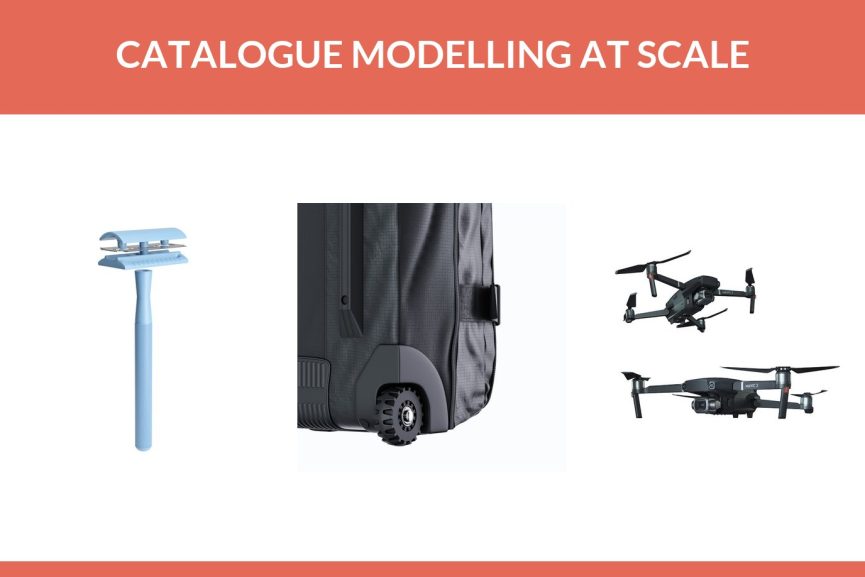
At UFO3D, 3D models for 100 typical products would list at around 20,000 USD, and the batch discount of 20% from 50 SKUs brings that to about 16,000 USD, with renders on white included. A catalogue of that size takes about one week, though the real timeline depends heavily on how complete the brief and the source files are.
That figure moves with your product mix, so this article shows how to work it out for your own range. You’ll see which parts of the work repeat across SKUs and get cheaper, what colour variants add, how the discount applies and how to prepare files for a batch. There are colourway examples from our portfolio, a worked example in numbers built on a hypothetical catalogue, and the case for running a pilot of three to five products first.
Contents
- Cost to create 3D models per product, before any savings
- What repeats when you model a whole catalogue
- Colour variants: one model, many colourways
- Bulk 3D modeling discount and timeline
- What 3D models for 100 SKUs cost: a worked example
- Preparing a product catalogue for 3D modeling
- Pilot 3 to 5 SKUs before you model 100 products
- What slows a catalogue batch down
- Frequently asked questions
Cost to create 3D models per product, before any savings
Modelling at UFO3D is billed at 20 USD an hour, so the price of each model follows the hours it takes. For common product types those hours are predictable enough to quote as fixed figures:
| Type of product | Model price | Build time for one |
|---|---|---|
| Simple part (a lid, a bracket, an accessory) | around 80 USD | about a day |
| Typical product, such as a portable speaker | around 200 USD | two to three days |
| Product with a working mechanism | around 400 USD | three to five days |
| Watch with its movement | from 1,200 USD | one to two weeks |
Renders on white come with those prices. For a single product, that table is the whole answer. For a catalogue it’s only the starting point, because a hundred products are rarely a hundred unrelated objects. Everything that pushes a single model’s price up or down is explained in what determines the price of a 3D model.
What repeats when you model a whole catalogue
When work is billed by the hour, anything that doesn’t have to be done twice comes off the bill. In a product range, a surprising amount repeats.
Shared parts
Picture a line of six kettles. They have the same base, the same lid mechanism and the same handle in two lengths. The first kettle is a full build. Most of that geometry carries over to the other five, so each of them is closer to an edit than a new model. The same goes for a range of bottles with one cap, or headphones sold in three sizes with identical ear cups.
Shared materials
A brand tends to use the same handful of finishes across its range: one brushed steel, two plastics, a rubber grip, a signature colour. Each material is set up once, matched to your references, and then applied across every SKU that uses it. That also keeps the colour of your brushed steel identical on product 3 and product 93.
Shared scenes and lighting
Catalogue images on white need the same camera height, light and shadow across the whole range. That studio setup is built once in 3D and every model goes through it. Lifestyle scenes work the same way: one kitchen set can host every appliance in the range.
None of this lowers quality. It’s the same model standard, simply with fewer hours spent rebuilding the same things. If you want to know what that standard should be, our guide to 3D modeling standards for product models walks through it.
Colour variants: one model, many colourways
Colourways and finishes are changes to a model you already have, not new models. On our rendering price list a colour change on an existing model costs 1 USD. For a catalogue where most products come in several colours, this is where the biggest saving sits, so it’s worth seeing what it looks like in practice.
Five colours of one safety razor
This portfolio project is a safety razor with a knurled handle. One model produced five versions: pink, white, mint green, light blue and a metallic rose gold. They’re shown together in a single styled shot on mosaic tiles.
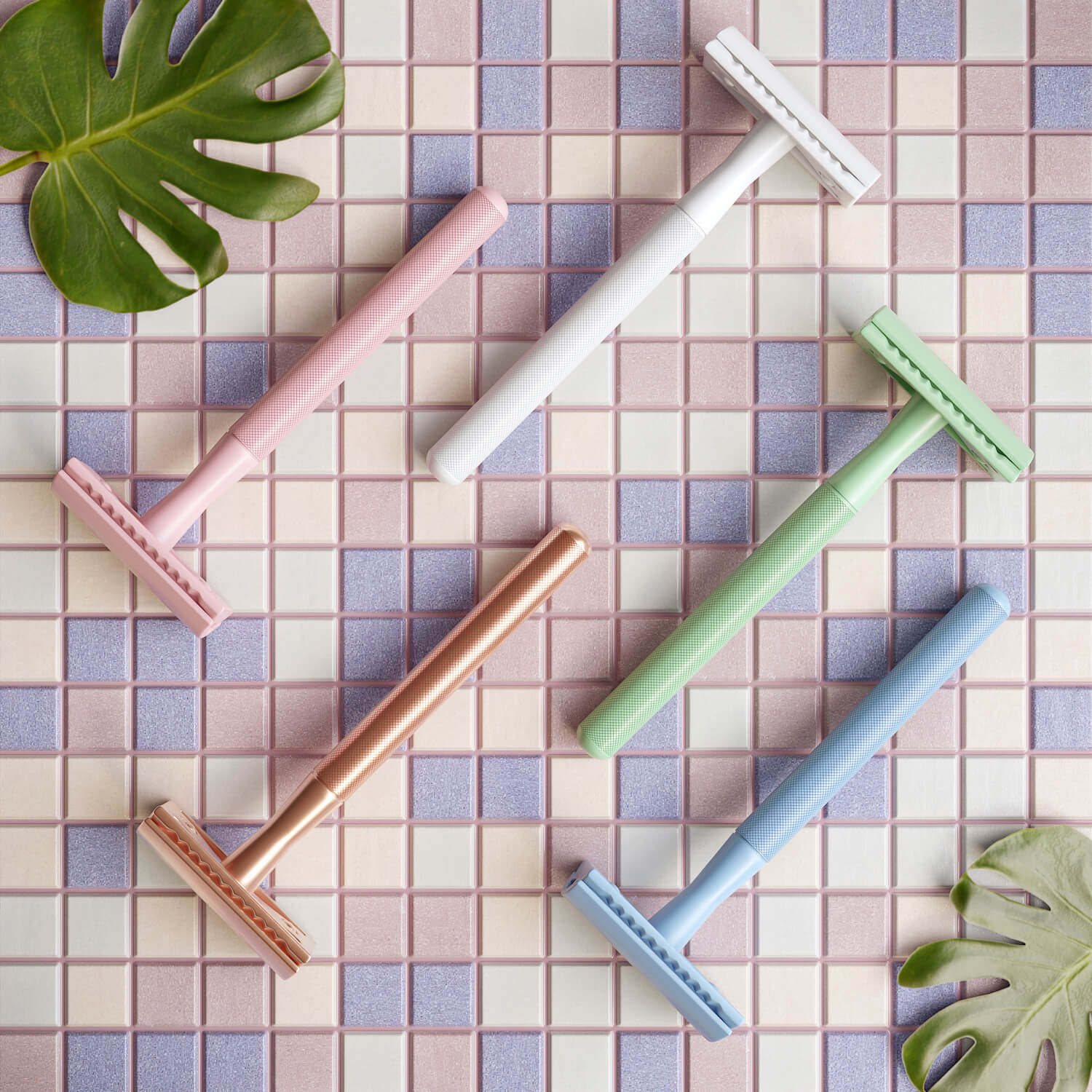
Run the numbers on a range like this. If the razor counts as a typical product at around 200 USD, four extra colours at 1 USD per colour change add 4 USD, so five colours come to about 204 USD with the renders on white. You are really paying for the model, and the colours cost next to nothing. Photographing five physical razors would mean five finished samples first, and on a launch that’s often the part that isn’t ready.
Two fabrics of one backpack
Soft goods work the same way. The image below shows one backpack design rendered twice, once in grey canvas and once in off white, both with the same tan leather flaps and straps.

Another backpack project in the portfolio is listed as a colourways job too, and its render shows the bag in a dark fabric with a pink and white floral print. A print is just another material on the same geometry. For a brand that releases seasonal prints, that’s the difference between re-rendering and re-photographing every bag.
Five finishes of one soap dispenser
Hardware and fixtures show the same effect even more clearly, because the shape never changes and only the metal does. This kitchen soap dispenser was modelled once: pump head, collar, threaded shank and bottle. The finish is the only thing that differs from one render to the next.
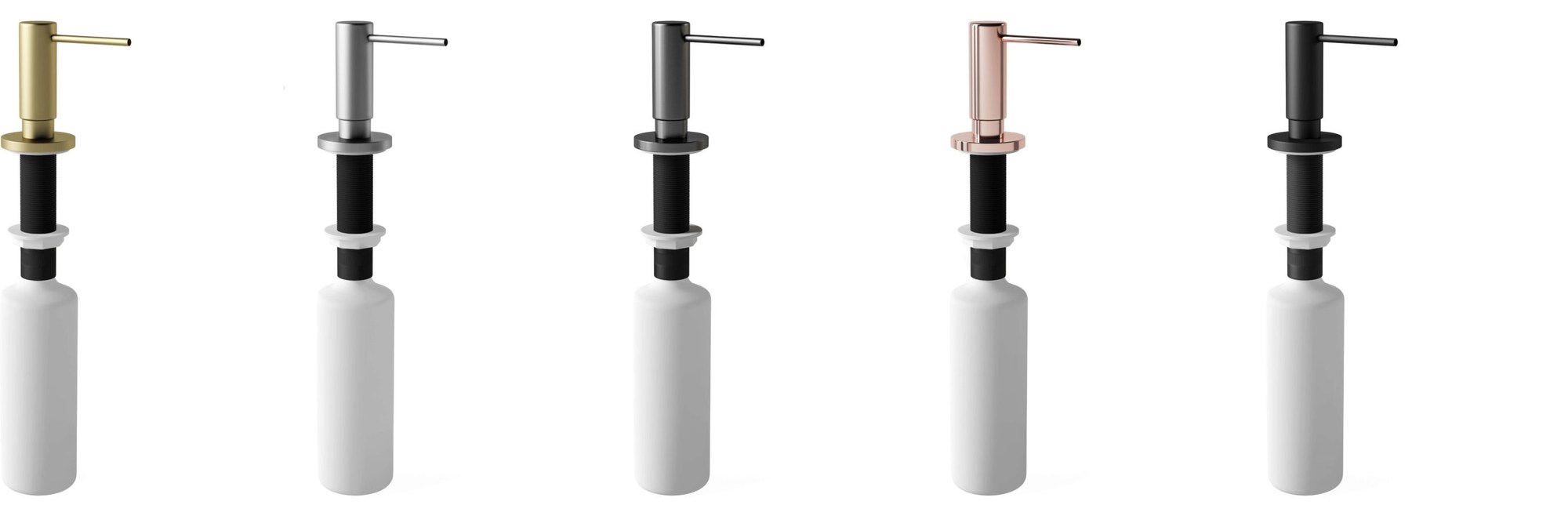
Put that into catalogue numbers. Say a kitchen accessories range has 30 products, each sold in the same five finishes. That is 150 sellable variants, but only 30 models. The other 120 are colour changes at 1 USD each, so 120 USD on top of the models. And because every finish is rendered with the same camera and light, a shopper who clicks from brass to black sees only the metal change, which is what makes the swatches on a product page believable.
Bulk 3D modeling discount and timeline
From 50 SKUs, UFO3D takes 20% off. That applies on top of whatever the shared parts already save, because the saving from reuse shows up in the hours and the discount applies to the total.
On timing, 100 SKUs take about a week. That’s possible because a catalogue is split across several artists instead of queuing behind one. The studio has more than 290 3D artists. It’s worth asking for each product family to stay with one artist, so the shared parts really do get built once.
That week assumes the inputs are in good shape. Missing dimensions or late decisions on materials stretch it, sometimes a lot. Treat “about a week” as the speed of the modelling, not a promise that holds whatever arrives in the brief. The section on what slows a batch down lists the usual culprits.
What 3D models for 100 SKUs cost: a worked example
Here’s a hypothetical small appliance and homeware brand with 100 SKUs. The product mix is invented for the example. The prices are the studio’s published figures.
| Group | SKUs | Price per model | Subtotal |
|---|---|---|---|
| Simple parts and accessories (filters, lids, stands) | 30 | around 80 USD | 2,400 USD |
| Typical products (speakers, kettles, lamps) | 50 | around 200 USD | 10,000 USD |
| Products with a working mechanism (a grinder, a folding fan) | 20 | around 400 USD | 8,000 USD |
| Total at list price | 100 | 20,400 USD | |
| Batch discount, 20% | minus 4,080 USD | ||
| Models with renders on white | 16,320 USD |
That’s about 163 USD per SKU, with white background renders included. If the 50 typical products include families like the kettles above, the hours on those come down further and the real quote lands lower. How much lower depends on how much geometry the products really share, which is why the quote comes after the studio sees the files.
Now add the extras most catalogues need:
- A second colourway on 40 of the products, at 1 USD per colour change: 40 USD.
- Ten lifestyle images for category pages and ads, from 120 USD each: from 1,200 USD.
- A 15 second product animation for the hero SKU, at 30 to 60 USD per second: 450 to 900 USD.
Whether the batch discount also applies to scenes is worth asking when you request the quote. The bigger point is the order of the costs. The models are the main spend, and you pay for them once. After that, each new colour, angle or scene reuses a file you own.
Preparing a product catalogue for 3D modeling
For one product, a few emails back and forth are fine. For a hundred, they turn into weeks. One spreadsheet and one shared folder fix most of that.
Give each SKU one row with these columns:
- SKU code and product name, matching the folder names
- Overall dimensions in millimetres
- Materials and colours, with your colour codes
- Product family, so shared parts can be spotted early
- Links to the source files
- Which colourways are needed
As for the source files, CAD or STEP is best. Dimensioned drawings are a close second. A product with neither can still be built from photos of a sample taken from the front, side and three quarters, as long as overall measurements come with them. Most catalogues end up with a mix, and that’s fine.
Also say where the models will go, because that decides the delivered formats. GLB covers web viewers and Android AR, USDZ covers iPhone AR, OBJ or FBX open in other 3D programs, and the editable source file comes with everything. If the catalogue runs on Shopify, its product media documentation lists GLB and USDZ for 3D models, with files up to 500 MB, and files over 15 MB are optimised automatically on upload.
Finally, name one person on your side who approves models. Batches stall when every grey model has to go round three departments.
Pilot 3 to 5 SKUs before you model 100 products
Before committing a hundred products, run three to five through the full process. It costs little next to the whole catalogue and answers the questions that matter.
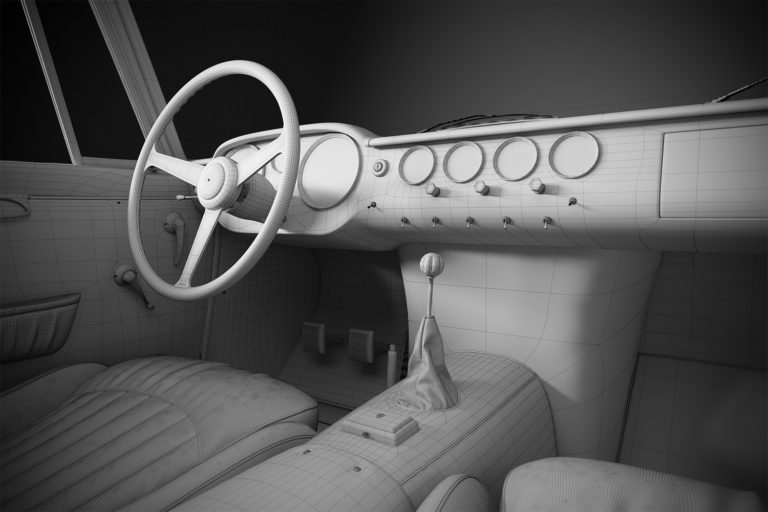
A good pilot set includes the hardest product in the range, one typical product and one with a colourway. If the hardest one comes out right, the rest will too. Run them through the normal steps: brief, grey model for approval (geometry without materials), then materials, lighting and images. Two rounds of changes are included.
What do you get from it? Mainly a look at the quality on your own products rather than on someone else’s portfolio. The materials also get matched and signed off during the pilot, and those settings carry into the full batch. And if your spreadsheet has gaps, you’d much rather find them on five rows than on a hundred.
When the pilot is approved, the rest of the catalogue runs through the same setup, often in groups by product family.
What slows a catalogue batch down
Most delays in catalogue work start on the client side, and almost all of them can be avoided before the batch begins.
- Missing dimensions. A photo with no measurements means the artist has to ask, and the product waits.
- Undecided materials. Changing a finish after the look is approved means redoing it on every SKU that uses it.
- Products that change mid batch. If the design team is still adjusting a handle, model that family last.
- Feedback in pieces. Comments on one model at a time, from several people, take far longer than one combined list per group.
Handle those four and a hundred SKUs in about a week is realistic. If the timeline matters a lot, UFO3D offers a timeliness guarantee you can apply for: if the project is late, it’s free.
The basics of how a product model gets built are in our guide to what 3D modeling is. When you have a product list ready, send it with whatever files exist through our 3D product modeling services page. A quote comes back within one business day, and you can ask for the batch discount and the shared parts to be shown line by line.
Frequently asked questions

Ian Diev
Content Writer, Editor
Ian loves writing about innovative 3D technologies and their impact on architecture and design. In his spare time, he makes indie music, watches obscure movies, and cooks culinary masterpieces for friends.