
About This Project
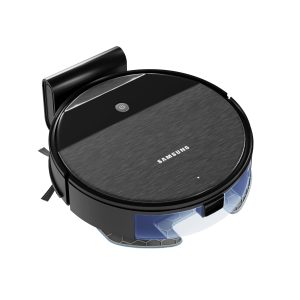
A robot vacuum with its self-emptying base, rendered under a single spotlight on a black background. The robot sits in front of the tall dock, which collects dust from the robot after each run. The light falls from above and leaves the rest of the frame in darkness, so the product is the only thing to look at.
What was modeled
The robot has a textured top panel, a sensor window, bumpers around the edge and the docking contacts underneath. The base has its own body, a bin, an evacuation port where the robot docks, and a few small details like buttons and vents. The two pieces are separate objects in the file, which matters later: either can be rendered on its own, and the robot can be shown docking or driving away in an animation.
Price and timing
This robot vacuum with its docking station came to about 780 USD and six days: around 660 for the model, 60 for the digital finishes and 60 for rendering. Appliance projects typically run from about 360 USD for a small device to around 1,080 for something with many parts. Work outside the package is billed at 20 USD an hour. The details are on our appliance 3D modeling page.
The spotlight look
One hard light on black. Tech brands use it a lot for launches, and you can see why on a launch page or a retailer banner, where it reads as expensive and a little theatrical. There’s a catch, though. The shadows are deep, so any surface that does face the light gets looked at closely, and a sloppy edge shows. Want it softer for a shop page? Same model, gentler light. Or drop it into a living room and let it clean.
Why 3D for appliances
Shipping an appliance to a studio isn’t cheap. They’re heavy, some break easily, and the prototype often isn’t ready when marketing already needs pictures. Building from CAD or drawings gets around all of that. You also get cutaways for free, more or less: open the unit up and show the motor, the bin and the brushes, and nobody has to take a real one apart with a screwdriver.
Give the dock a close-up of its own. People shopping for self-emptying robots tend to check the bag compartment and how big the base is, since it lives on the floor against a wall and eats space there. We’d pull that shot from the same model.
Lighting a robot vacuum is its own small problem. It’s low and round, so the edge catches reflections all the way around, and there’s a soft shadow underneath. Get that shadow wrong and the thing hovers. Get it right and it’s sitting on the floor, where it belongs.
Other uses for the same file
Silo shots on white for each piece. Room scenes. A 360 spin. Animations of the robot cleaning and then heading back to dock. AR files, too, so someone at home can check whether the base fits in the corner they have in mind. A new colour or finish is just a material change. If the product sells mostly online, that’s close to every image the listing will ask for.
A full case study of an appliance launch built in 3D is in our article on vacuum cleaner 3D visualization.
Let us know if you’ve got an interesting project and want to work together!